1
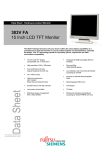
Colour monitor 383V FA
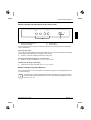
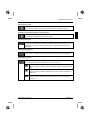
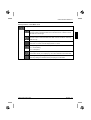
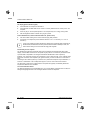
Setting functions in the "LCD ADJUST" menu
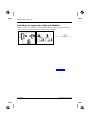
Calling the LCD ADJUST submenu
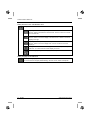
Adjusting the horizontal size (H-SIZE)
Use the - button to decrease the horizontal size. Use the + button to increase
the horizontal size.
Adjusting the horizontal position (H-POSITION)
Use the - button to move the display to the left. Use the + button to move the
display to the right.
Adjusting the vertical position (V-POSITION)
Use the - button to move the display down. Use the + button to move the
display up.
Setting picture definition and eliminating picture interference (FINE TUNE)
Press the - or + button until the screen display is in focus.
Automatically adjusting screen display (AUTO-SYNC)
Setting language for the OSD menu
Selecting the language (LANGUAGE)
You can choose from English (default setting), German, French, Italian and Spanish.
14 - English
A26361-K873-Z100-2-5E19