1
Epson AcuLaser CX11N/CX11NF
Removing Printouts from the Output Tray
The available paper types for copying are not the same as those
for printing. Depending on the paper source, available paper
types differ. When copying, you can only use the following
paper types:
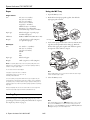
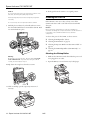
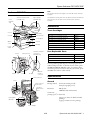
The output tray is located on the top of cover B and can hold
up to 250 sheets.
Paper source
Paper type
MP tray
Plain paper, Semi-thick, Letterhead, Recycled
paper, Colored paper, Transparencies, Labels
Optional paper cassette
Plain paper, Letterhead, Recycled paper,
Colored paper
Note:
You cannot copy onto coated paper, thick paper, or special paper
such as postcards or envelopes.
Stopper
MP Tray
The MP tray can hold the following types and sizes of paper.
Note:
If your printouts do not stack neatly, open the stopper on the
extension tray.
Paper type
Paper size
Capacity
Plain paper
A4, A5, B5, Letter (LT),
Government Letter (GLT), Half
Letter (HLT), Legal (LGL),
Government Legal (GLG), F4,
Executive (EXE)
Custom-size paper:
3.54 in. × 4.33 in. (minimum) to
8.66 in. × 14 in. (maximum)
Up to 180 sheets
(Total stack
thickness: 0.8 in.)
Semi-thick
paper
A4, A5, B5, Letter (LT),
Government Letter (GLT),
Half Letter (HLT), Legal (LGL),
Government Legal (GLG), F4,
Executive (EXE)
Custom-size paper:
3.54 in. × 4.33 in. (minimum) to
8.66 in. × 14 in. (maximum)
Total stack thickness:
0.8 in.
Envelopes
C5, C6, C10, DL, Monarch,
ISO-B5
Up to 20 sheets
(Total stack
thickness: 0.8 in.)
Selecting a Paper Source
You can specify a paper source manually or set up automatic
paper source detection.
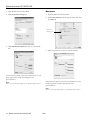
❏ To manually select a paper source for Windows, access the
printer driver, click the Basic Settings tab, and select the
paper source that you want to use from the Paper Source
list. Then click OK.
❏ To manually select a paper source for Macintosh, access the
printer driver, select Printer Settings from the drop-down
list, and click the Basic Settings tab. Then select the paper
source that you want to use from the Paper Source list and
click OK.
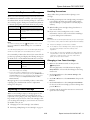
❏ To set up automatic paper source detect, select Auto
Selection from the Paper Source list as described above.
The product will search for a paper source containing the
specified paper size in the MP tray. If the optional 500Sheet Paper Cassette Unit is installed, then it will also
search its cassette.
Note:
If you select paper size or paper source settings in your application,
these settings may override the printer driver settings.
Selecting a Paper Tray
Before you load paper you need to select a paper tray based on
whether you’re printing or copying and the size of paper your
printing or copying onto.
8/05
Labels
A4, Letter (LT)
Up to 75 sheets
Thick paper
A4, A5, B5, Letter (LT),
Government Letter (GLT),
Half Letter (HLT), Legal (LGL),
Government Legal (GLG), F4,
Executive (EXE)
Custom-size paper:
3.54 in. × 4.33 in. (minimum) to
8.66 in. × 14 in. (maximum)
Total stack thickness:
0.8 in.
Extra thick
paper
3.54 in. × 4.33 in. (minimum) to
8.66 in. × 14 in. (maximum)
Total stack thickness:
0.8 in.
Coated paper
A4, A5, B5, Letter (LT),
Government Letter (GLT),
Half Letter (HLT), Legal (LGL),
Government Legal (GLG), F4,
Executive (EXE)
Custom-size paper:
3.54 in. × 4.33 in. (minimum) to
8.66 in. × 14 in. (maximum)
Total stack thickness:
0.8 in.
Epson AcuLaser CX11N/CX11NF - 5