1
iii
Contents
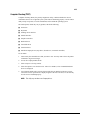
About This Guide
Text Conventions.......................................................................................................................vii
Symbols in Text................................................................................................................ ........viii
Symbols on Equipment........................................................................................................... ..viii
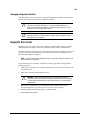
Where to Go for Additional Help ............................................................................................... ix
Other Information Sources .................................................................................................. ix
Telephone Numbers............................................................................................................. ix
Chapter 1
Illustrated Parts Catalog
Mechanical Parts ......................................................................................................................1-1
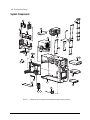
System Components .................................................................................................................1-2
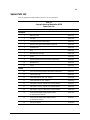
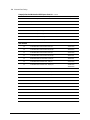
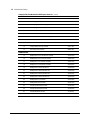
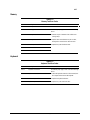
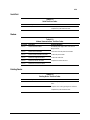
Spares Parts List .......................................................................................................................1-3
Chapter 2
Service Preliminaries
Compaq Technician Notes........................................................................................................2-1
Preliminary Warnings and Cautions .........................................................................................2-2
Electrostatic Discharge Information .........................................................................................2-3
Equipment Symbols..................................................................................................................2-3
Tools and Software Requirements ............................................................................................2-4
Warranty Information ...............................................................................................................2-4
Chapter 3
Removal and Replacement Procedures
Serial Number...........................................................................................................................3-1
Service Preparations .................................................................................................................3-2
Cable Lock ...............................................................................................................................3-3
Workstation Feet.......................................................................................................................3-4
Side Access Panel.....................................................................................................................3-5
Front Bezel ...............................................................................................................................3-6
Blank Drive Bezel ....................................................................................................................3-7
EMI/Cooling Shield..................................................................................................................3-8
Speaker .....................................................................................................................................3-9
I/O Bracket Assembly ............................................................................................................3-10
Replacing the I/O Bracket Assembly...............................................................................3-11
Expansion Boards ...................................................................................................................3-12
Identifying the PCI and ISA Expansion Slots..................................................................3-12
Removing a PCI or ISA Expansion Board ......................................................................3-14
Removing a Symbios Wide Ultra2 PCI SCSI Controller ................................................3-15
Removing the Accelerated Graphics Port (AGP) Graphics Controller............................3-16
Removing the Card Guide ...............................................................................................3-17
Removing the Backplane Board ......................................................................................3-18
System Fan .............................................................................................................................3-19
Compaq Professional Workstation AP500 Maintenance and Service Guide