1
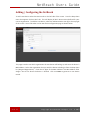
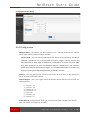
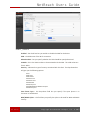
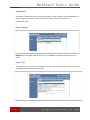
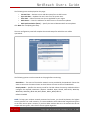
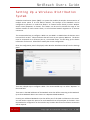
NetReach Users Guide The following items are displayed on this page: Current Time — Receives a time and date stamp from an SNTP server. Sync with host — Updates the unit's time from the system time. Time Zone — Select the time zone that is applicable to your region. SNTP Server — Enter the address of an SNTP server to receive time updates. SNTP synchronization (hours) — Specify the interval between SNTP server updates. • • • • • Click Next after completing the setup. The next configuration panel will complete the wizard setup after which the unit will be operational. The following options must be entered on this page before continuing: SSID Choice — The name of the wireless network service provided by the NetReach. Clients that want to connect to the network must set their SSID to the same as that of the NetReach. Security Mode — Specifies the security mode for the SSID. Select the security method and then configure the required parameters. (Options: Disabled, Open, Shared, WEP-‐AUTO, WPA-‐PSK, WPA2-‐PSK, WPA-‐PSK_WPA2-‐PSK, WPA, WPA2, WPA1_WPA2, 802.1X; Default: Disabled NOTE: To keep your wireless network protected and secure, you should implement the highest security possible. For small networks, it is recommended to select WPA2-‐PSK using AES encryption as the most secure option. However, if you have older wireless devices in the network that do not support AES encryption, select TKIP as the encryption algorithm. 21 of 27 Copyright Accelerated Concepts, Inc. © 2013