1
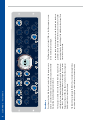
Auto Fast (Attack)
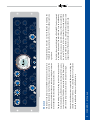
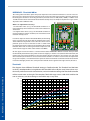
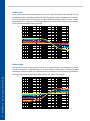
The Auto Fast function causes an automatic shortening of the control time on fast and loud signal
peaks. This effect is easy to comprehend when compressing a preferably dynamic drum loop, for
example.
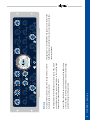
Please set the following values as a starting position:
•
•
•
•
Attack:
Release:
Ratio:
Threshold: 50ms
300ms
1:1,8
Set to a position that results in approx. 3-4dB Gain reduction
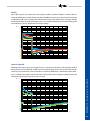
Because of the quite long Attack time the snare and bass drum will be processed very moderately.
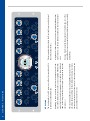
If Auto Fast is now engaged, the compressor will react to the fast and loud peaks, resulting in a
noticeably higher amount of Gain reduction.
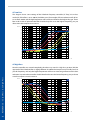
And here is the trick: Directly after this process the Attack time will return to the value that was
originally set, and on ‚slower‘ signals the original value will not be changed at all. The compressor
will only become very fast in case it is really needed!
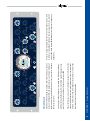
Auto Fast (Release)
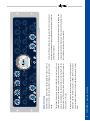
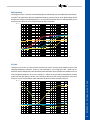
The same example is also suitable to use the Auto Fast function for the Release parameter, too.
The following values are useful to get started:
•
•
•
•
Attack:
Release:
Ratio:
Threshold:
30ms + Auto Fast
300ms
1:1,8
Set to a position that results in approx. 7-8dB Gain reduction
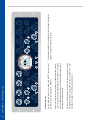
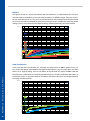
Now press the Auto Fast button of the Release controller and keep your ears open as well as an eye
on the meter: the area between 4-8dB is reduced very fast now, whereas the set value of 300ms
stays valid between 0 and 4dB.
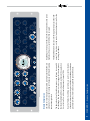
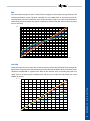
This function can be a great help especially for applications with difficult dynamic structures, as it
counteracts the danger of clippings caused by too short values and the loss of loudness and pressure caused by too slow settings at the same time.
BASICS - Auto Fast
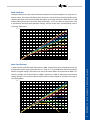
Note: If you use very long Release times, the effectiveness of this function will decrease. Very long
Attack times will also reduce the intensity of this circuit.