1
AUTOMATIC EXPOSURE ADJUSTMENT
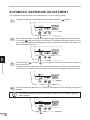
The automatic exposure level can be adjusted to suit your copying needs.
1
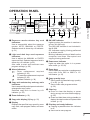
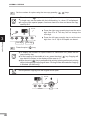
Press the exposure mode selector key to select the photo (
) mode.
2
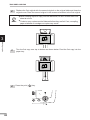
Press and hold down the exposure mode selector key for approximately 5 seconds.
The photo ( ) indicator will go out and the AUTO indicator will begin to blink. One or
two exposure indicators corresponding to the automatic exposure level which has
been selected will light up.
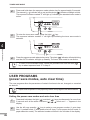
3
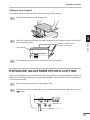
Press the light ( ) or dark ( ) key to lighten or darken the automatic exposure
level as desired.
If exposure level 2 is selected, the two left-hand indicators will light up simultaneously.
Also, if level 4 is selected, the two right-hand indicators will light up simultaneously.
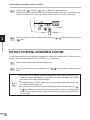
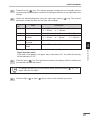
4
Press the exposure selector key. The AUTO indicator will stop blinking and light up
steadily.
6
Copier trouble?
This automatic exposure level will remain in effect until you change it again by
this procedure.
42