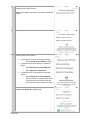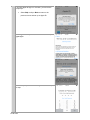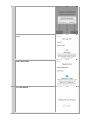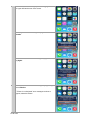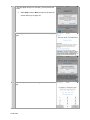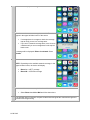
1
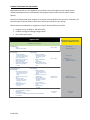
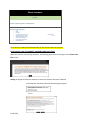
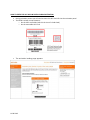
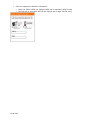
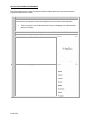
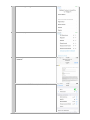
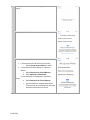
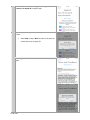
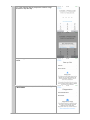
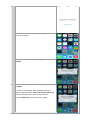
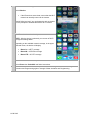
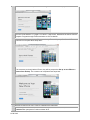
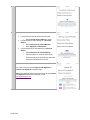
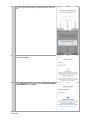
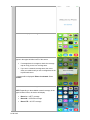
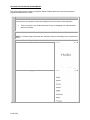
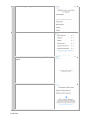
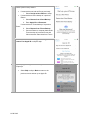
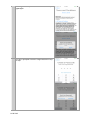
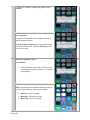
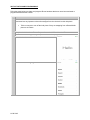
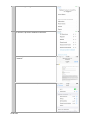
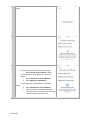
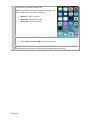
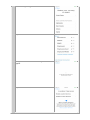
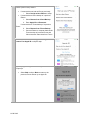
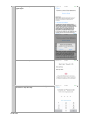
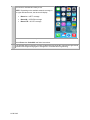
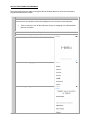
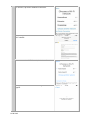
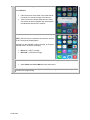
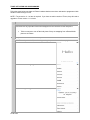
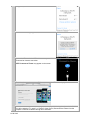
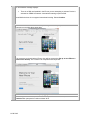
BOOST MOBILE APPLE iPHONE 5c / 5s / 4s Training Guide 11.06.2013 Boost Mobile – General Training Topics REMINDER: There are NO Exclusive iPhone rate plan Discounts available for Boost Mobile similar to Virgin Mobile A Bookmark for “Boost My Account” WILL BE in the Safari Browser Bookmark. This is different than the Virgin Mobile iPhones where the “Virgin My Account” was NOT in the Bookmark. Monthly plans available for iPhone 4s, 5c and 5s. PLEASE NOTE: ALL iPhone devices are eligible for shrinking payments. Rate Grid below: No Mobile Hotspot available on iPhone 4s, 5c and 5s. Hotspot will NOT be offered at this time on any of the iPhone 4s, 5s and 5c devices Unlike other LTE phones to-date, Boost Mobile iPhone 5c and 5s devices will NOT have the UICC card pre-inserted. In order for the device to activate, the rep must insert the UICC card into the handset at the point of sale. o UICC cards are shipped/received separately from iPhone inventory The UICC card for Virgin Mobile 5c and 5s are the same for Boost iPhone devices also Customers who request a new or replacement UICC card should be referred to the Boost Mobile Customer Care or you can call your Dealer Line to request the UICC card for your customer. o Note: the only reason a replacement card would be needed is in the case that a customer has removed their card and either lost or physically damaged it. These cards do not hold any customer data (contacts or otherwise) and there’s no need to remove it from the handset. 11.06.2013 CUSTOMERS MUST DISABLE ACTIVATION LOCK ON APPLE PRODUCTS WITH iOS7 If a customer needs to return Apple equipment or for any service related requests, the customer must disable activation lock on Apple Products with iOS7. o Activation Lock: is automatically enabled as part of Find My iPhone in iOS7; this ties a customer's iPhone to their Apple ID. A customer is required to enter their Apple ID and password to delete their iCloud account, reset their device, or overwrite and restore a device through iTunes. Before accepting a customer's device for service or any return, exchange or buyback, the customer MUST disable the Find My Phone Activation Lock. The customer is required to enter their Apple ID and password to complete these steps. If they do not remember their Apple ID and/or Password, they will be prompted to recover them before completing the steps to disable the Activation Lock. Required - How to Disable the Find My Phone Activation Lock When Customer Returns An iPhone: Customers must perform one of the following three methods before returning the iPhone. The first method is the preferred method. 1. Erase All Content and Settings on the device. Tap Settings > General > Reset. Tap Erase All Content and Settings The device will reset. 2. Delete the iCloud account for the device via Settings > iCloud. 3. Go to www.icloud.com/find to erase the device remotely and remove it from the customer's account. Following are the recommended methods to unbrick / activate the device: Wi-Fi iTunes (Note: the prepaid iPhone 5c and 5s cannot be unbricked / activated via cellular, which is different from iPhone 5 which can still be done over the cellular band also. This feature will be available in future inventory or 5c and 5s iPhones). If using iTunes, please make sure you have updated your iTunes to the latest version 11.1 available or you will NOT be able to unbrick / activate the iPhones since this is a requirement for ALL iPhones using iOS7. With iOS7 (upgrade for previous handsets and new 4s, 5c and 5s), Apple has defaulted the “Send as SMS” setting to “off”. This could impact customers’ ability to automatically send a text 11.06.2013 message to an iMessage customer. IF iMessage fails, a customer will receive an “Undelivered” error. o 11.06.2013 SOLUTION: Tap on the “Undelivered” status and choose “Send as SMS”. Advise customers to change the default setting of “Send as SMS” to “On”. HANDSET INSURANCE AND APPLECARE+ Boost Mobile iPhones are also eligible for the Handset Insurance through Assurant. Below are the differences between what is covered under each program. Please make customers aware of both options. Customers CAN purchase either program or can opt to purchase BOTH at the same time. Customers will have the option to decide where to direct their device service based on cost savings. Phone Insurance and AppleCare+ programs are similar, but key differences include: Program pricing: $5 MRC vs. $99 upfront fee Incident coverage and damage categorization Per incident price points AppleCare+ No AppleCare+ Coverage – Standard OEM Warranty $99 Upfront one-time Fee Tech Support • Triage • Advanced tech support $0 for 2 years • • $0 for 90 days $29 beginning day 91 • $0 for 1 year Green (iPhone 4s) In-store Apple • Warranty exchange (Phone doesn’t power on or charge, phone resets) • Bright or dead pixels • Ring/silent switch missing • Back housing cracks • Single LCD fracture • Debris under display glass • Hairline two-leg display fracture Green (iPhone 5c and 5s) In-store Apple • Warranty exchange (Phone doesn’t power on or charge, phone resets) • Debris under display glass • Pixel Anomaly • Single Hairline Crack to the Front Glass or Back Inlay $0 for 2 years After 1 year: • $199 iPhone 4s • $269 iPhone 5c and 5s Yellow (iPhone 4s) In-store Apple • Damaged dock connector or enclosures (bent pins, broken plastic or bent bezel) • Damage to ports or audio jack • Extreme abrasion, puncture holes, button damaged or missing from drop • Multiple LCD fractures • Liquid damage or corrosion Yellow (iPhone 5c and 5s) In-store Apple • Damaged lightning connector (bent pins, broken plastic or bent bezel) • Damage to audio jack or speaker grill • Extreme abrasion, puncture holes, button damaged or missing from drop • Any LCD fractures • Any chips or fractures in glass • Liquid damage or corrosion $79 (iPhone 4s 8GB, 5c, 5s) • • Red (iPhone 4s, 5c and 5s) • Unit disassembled by customer • Missing parts • Catastrophic damage • Counterfeit or non-OEM parts (including after-market displays) • Lost or stolen 11.06.2013 No Coverage MSRP $199 iPhone 4s $269 iPhone 5c and 5s No Coverage MSRP Phone Insurance $5 MRC Warranty support through OEM – Standard Warranty Insurance Claim @ Assurant • Lost • Stolen • Damage • Cracked screen or housing • Flip/keyboard separated • Total device failure (DBR) • Circuit board damage • Liquid damage/corrosion • Smashed device Deductibles: • $175 There will be a standard $175.00 deductible for the iPhones under this program. SALES PORTAL FLOW FOR HANDSET INSURANCE AND APPLECARE+ When the customer is processing activation, the following pops when the user gets to the Choose Your Plan screen. Exiting the popup will allow the customer to select the Assurant Insurance if desired. If selected then the Phone Insurance Selected popup appears PopUp 11.06.2013 After the Assurant Insurance selection is completed or if Assurant Insurance is not selected, then the transaction will continue through the Review Your Selections & Make Payment screens. The AC+ Notification Pop occurs when the Complete Your Activation screen is presented. 11.06.2013 HOW TO INSERT A UICC / SIM CARD Step Action 1 Locate the UICC tray on the right side of the device 2 Insert the UICC/SIM eject tool (included in the box) or the end of a small paperclip. Press firmly and push it straight in, until the tray pops out. Note: If the paper clip is too big, or too small, the tray may not pop out. Please locate and use the UICC/SIM eject tool. 3 Remove the ejector tool from the tray, and then pull the tray out of the device. 4 Remove UICC card from UICC/SIM card holder. 5 Insert the UICC card from the tray and carefully slide the UICC tray back into the device. Note: The angled corner of the UICC card ensures that it is oriented properly in the tray. 6 11.06.2013 Press and hold the Power key to turn the phone on. HOW TO ENTER THE UICC INFO IN PORTAL DURING ACTIVATION: During activation process you will need to enter the UICC Card info into the activation portal The ICCID is written on two locations: o On the UICC card holder (which is the size of a Credit Card) o On the removable UICC card The activation landing page appears. 11.06.2013 Enter the equipment identifier information: 11.06.2013 Enter the ESN or MEID (for iPhones MEID can be entered in HEX format) Devices with a removable UICCID will require the 20 digit UICCID entry APPLE iPHONE 5c Programming Instructions 11.06.2013 Wi-Fi ACTIVATION AND PROGRAMMING: Follow the steps below to activate and program iPhone handsets that have never been activated or programmed with another number. Step 1 Action Tell the customer that voicemail from their old phone will not transfer to the iPhone. Customers should retrieve any important voicemail messages from the voicemail on their old phone. Tell the customer to turn off their old phone if they are swapping from a Boost Mobile phone to an iPhone. 2 Complete the Activation or Phone Swap and Insert the UICC card into the iPhone. 3 Power the iPhone on by pressing the power button on the top right. 4 Unlock the handset. 5 Select the desired Language. 11.06.2013 6 Select Country or Region. 7 To use Wi-Fi, tap a Wi-Fi network to connect to. 8 If necessary, enter credentials to connect to the selected WiFi network. 9 Once connected to Wi-Fi Network, Activation will continue. 11.06.2013 10 It may take a few minutes to activate your iPhone will appear. 11 Tap Enable Location Services. 12 Choose option to setup iPhone If customer has not had an iPhone previously: o Select Set Up as New iPhone to setup If customer has a iCloud backup of a previous iPhone: 1. Select Restore from iCloud Backup. 2. Enter Apple ID and Password If customer has a iTunes backup of a previous iPhone: 0. Select Restore from iTunes Backup 1. Connect iPhone to computer that has the iTunes backup of pervious iPhone and follow onscreen instructions from iTunes. 11.06.2013 13 You or the Customer can now Sign In with Apple ID or Create a Free Apple ID or skip this step. 14 If you skip Apple ID Sign in or Creation, you will receive this prompt. Select Skip to skip or Back to return to the previous screen and set up an Apple ID. 15 Select Agree to accept Terms and Conditions then tap Agree again. 11.06.2013 16 You or the customer will be prompted to create a 4-digit Passcode or skip the step. 17 Siri options appear. Select Use Siri or Don't use Siri, as desired. 18 At the Diagnostics screen, select either Automatically Send or Don't Send. 11.06.2013 19 Select Get Started. 20 No Service or No Service appears in the upper left-hand corner of the screen. 21 A "waiting for activation" message may appear. Select Dismiss. 22 An "iPhone was not activated" message may appear. Select Try Again. If "iPhone is not Activated" error messages continue to appear, restart the iPhone. Press and hold the Power key and then slide the arrow icon to turn the device off. Press the Power key to turn the device on again. 11.06.2013 23 iPhone is activated will appear. Select Dismiss. If the iPhone does not activate, ensure that the Wi-Fi network can actually connect to the Internet. Launch Safari and see if you can browse the web or whether you are prompted to authenticate with the Wi-Fi network. 24 The iPhone is activated and ready to use. NOTE: After the device is activated, you can turn off Wi-Fi through the Settings Menu.. Depending on the available network coverage, in the upper left-hand corner, the device will display: Boost 1x = 1xRTT coverage Boost 3G = 3G EVDO coverage Boost LTE = 4G LTE coverage 25 Recommend the customer set up their voice mail. Select Phone then Voice Mail and follow instructions. 26 If the handset does not activate, complete a Hard Reset and guide the customer through Wi-Fi Activation and Programming again or through Cellular Activation and Programming. 11.06.2013 iTUNES ACTIVATION AND PROGRAMMING: Follow the steps below to activate an iPhone handset that has never been activated or programmed with another number through iTunes. (Please see iTunes version criteria above) NOTE: iTunes version 11.1 or later is required. If you have an earlier version of iTunes, they will need to upgrade to iTunes version 11.1 or later. Step 1 Action Tell the customer that voicemail from their old phone will not transfer to the iPhone. Customers should retrieve any important voicemail messages from the voicemail on their old phone. Tell the customer to turn off their old phone if they are swapping from a Boost Mobile phone to an iPhone. 2 Complete the Activation or Phone Swap and Insert the UICC card into the iPhone. 3 If the iPhone is powered off, turn it on by pressing the power button on the top right. 4 Unlock the handset. 5 Select the desired Language. 11.06.2013 6 Select Country or Region then tap Next. 7 If it appears, select Connect to iTunes. 8 If a confirmation message appears, select Continue. 9 Connect the iPhone via the USB cable to a computer with iTunes and an Internet connection. NOTE: Connect to iTunes may appear on the screen 11.06.2013 10 iTunes launches on the computer. Welcome to your New iPhone is displayed. 11 NOTE: In some cases, an error message will be displayed indicating that the activation failed. The user will be asked to "Try again" or "Cancel". If this occurs, Disconnect the iPhone from the computer. Program through Cellular activation or Wi-Fi activation. 12 If the customer has never had an iPhone previously, iTunes will prompt Get Started. The customer can complete these steps later. If the customer previously had an iPhone, they will be prompted to Set up as new iPhone or Restore from backup. The customer can complete these steps later. 13 Disconnect the iPhone from iTunes by unplugging the USB cable. 14 If necessary, unlock the handset. Note: If the iPhone is at the Wi-Fi screen, click Next and then Continue when prompted to Continue without Wi-Fi. 11.06.2013 15 Tap Enable Location Services then tap Next. 16 If prompted, choose option to setup iPhone: If customer has not had an iPhone previously: o Select Set Up as New iPhone to setup If customer has a iCloud backup of a previous iPhone: o Select Restore from iCloud Backup. o Enter Apple ID and Password If customer has an iTunes backup of a previous iPhone: o Select Restore from iTunes Backup o Connect iPhone to computer that has the iTunes backup of previous iPhone and follow onscreen instructions from iTunes. 17 If prompted: You or the Customer can now Sign In with Apple ID or Create a Free Apple ID or skip this step. Note: If the customer does not have an Apple ID, tap Create a Free Apple ID and follow the prompts, or visit http://appleid.apple.com. 11.06.2013 18 If you or the customer skip Apple ID Sign in or Creation, you will receive this prompt. Select Skip to skip, or Back to return to the previous screen and set up an Apple ID. 19 Select Agree to accept Terms and Conditions then tap Agree again. 11.06.2013 20 You will be prompted to create a 4-digit Passcode or skip the step. 21 Siri options appear. Select Use Siri or Don't use Siri, as desired. Select Next. 22 At the Diagnostics screen, select either Automatically Send or Don't Send then select Next. 11.06.2013 23 Select Get Started 24 The iPhone will display Searching or No Service 25 After about a minute or so, coverage bars and the Boost icon appear in the upper-left-hand corner of the screen. If coverage bars do not appear, check the coverage map to verify you are in a coverage area. If you are in a network coverage area, then move closer to a window until you see coverage bars on the top left-hand corner. A message will be displayed: iPhone is activated. Select Dismiss. 26 The iPhone is activated and ready to use. NOTE: Depending on the available network coverage, in the upper left-hand corner, the device will display: 11.06.2013 Boost 1x = 1xRTT coverage Boost 3G = 3G EVDO coverage Boost LTE = 4G LTE coverage 27 Recommend the customer set up their voice mail. Select Phone then Voice Mail and follow instructions. 28 If the handset does not activate, complete a Hard Reset and guide the customer through Wi-Fi Activation and Programming or Cellular Activation and Programming. 11.06.2013 CELLULAR ACTIVATION AND PROGRAMMING: Follow the steps below to activate and program iPhone handsets that have never been activated or programmed with another number. Step 1 Action Tell the customer that voicemail from their old phone will not transfer to the iPhone. Customers should retrieve any important voicemail messages from the voicemail on their old phone. 2 Tell the customer to turn off their old phone if they are swapping from a Boost Mobile phone to an iPhone. Complete the Activation or Phone Swap and Insert the UICC card into the iPhone. NOTE: For a Phone Swap, always ask the customer if they are activating a new or replacement iPhone. 3 Power the iPhone on by pressing the power button on the top right. 4 Unlock the handset. 5 Select the desired Language. 11.06.2013 6 Select Country or Region. 7 Tap Use Cellular Connection 8 It may take a few minutes to activate your iPhone will appear. 9 Tap Enable Location Services. 11.06.2013 10 Choose option to setup iPhone If customer has not had an iPhone previously: o Select Set Up as New iPhone to setup If customer has a iCloud backup of a previous iPhone: 1. Select Restore from iCloud Backup. 2. Enter Apple ID and Password If customer has a iTunes backup of a previous iPhone: 0. Select Restore from iTunes Backup 1. Connect iPhone to computer that has the iTunes backup of pervious iPhone and follow onscreen instructions from iTunes. 11 You or the Customer can now Sign In with Apple ID or Create a Free Apple ID or skip this step. 12 If you skip Apple ID Sign in or Creation, you will receive this prompt. 11.06.2013 Select Skip to skip or Back to return to the previous screen and set up an Apple ID. 13 Select Agree to accept Terms and Conditions then tap Agree again. 14 You will be prompted to create a 4-digit Passcode or skip the step. 11.06.2013 15 Siri options appear. Select Use Siri or Don't use Siri, as desired. 16 At the Diagnostics screen, select either Automatically Send or Don't Send. 17 Select Get Started. 18 No Service or No Service appears in the upper left-hand corner of the screen. 11.06.2013 19 A "waiting for activation" message may appear. Select Dismiss. 20 An "iPhone was not activated" message may appear. Select Try Again. If "iPhone is not Activated" error messages continue to appear, restart the iPhone. Press and hold the Power key and then slide the arrow icon to turn the device off. Press the Power key to turn the device on again. 21 iPhone is activated will appear. Select Dismiss. If the iPhone does not activate, ensure you are in a coverage area and that at least 1 or 2 coverage circles appear. 22 The iPhone is activated and ready to use. NOTE: Depending on the available network coverage, in the upper left-hand corner, the device will display: 11.06.2013 Boost 1x = 1xRTT coverage Boost 3G = 3G EVDO coverage Boost LTE = 4G LTE coverage 23 Recommend the customer set up their voice mail. Select Phone then Voice Mail and follow instructions. 24 If the handset does not activate, complete a Hard Reset and guide the customer through Wi-Fi Activation and Programming or iTunes Activation and Programming. 11.06.2013 APPLE iPHONE 5s Programming Instructions 11.06.2013 Wi-Fi ACTIVATION AND PROGRAMMING: Follow the steps below to activate and program iPhone handsets that have never been activated or programmed with another number. Step 1 Action Tell the customer that voicemail from their old phone will not transfer to the iPhone. Customers should retrieve any important voicemail messages from the voicemail on their old phone. Tell the customer to turn off their old phone if they are swapping from a Boost Mobile phone to an iPhone. 2 Complete the Activation or Phone Swap and Insert the UICC card into the iPhone. 3 Power the iPhone on by pressing the power button on the top right. 4 Unlock the handset. 5 Select the desired Language. 11.06.2013 6 Select Country or Region. 7 To use Wi-Fi, tap a Wi-Fi network to connect to. 8 If necessary, enter credentials to connect to the selected WiFi network. 9 Once connected to Wi-Fi network, Activation will continue. 11.06.2013 10 It may take a few minutes to activate your iPhone will appear. 11 Tap Enable Location Services. 12 Choose option to setup iPhone If customer has not had an iPhone previously: o Select Set Up as New iPhone to setup If customer has a iCloud backup of a previous iPhone: 1. Select Restore from iCloud Backup. 2. Enter Apple ID and Password If customer has a iTunes backup of a previous iPhone: 0. Select Restore from iTunes Backup 1. Connect iPhone to computer that has the iTunes backup of pervious iPhone and follow onscreen instructions from iTunes. 11.06.2013 13 You or the Customer can now Sign In with Apple ID or Create a Free Apple ID or skip this step. 14 If you skip Apple ID Sign in or Creation, you will receive this prompt. Select Skip to skip or Back to return to the previous screen and set up an Apple ID. 15 Select Agree to accept Terms and Conditions then tap Agree again. 11.06.2013 16 Touch ID can be set up now or Later 17 You will be prompted to create a 4-digit Passcode or skip the step. 18 Siri options appear. Select Use Siri or Don't use Siri, as desired. 11.06.2013 19 At the Diagnostics screen, select either Automatically Send or Don't Send. 20 Select Get Started. 21 No Service or No Service appears in the upper left-hand corner of the screen. 22 A "waiting for activation" message may appear. Select Dismiss. 11.06.2013 23 An "iPhone was not activated" message may appear. Select Try Again. If "iPhone is not Activated" error messages continue to appear, restart the iPhone. Press and hold the Power key and then slide the arrow icon to turn the device off. Press the Power key to turn the device on again. 24 iPhone is activated will appear. Select Dismiss. If the iPhone does not activate, ensure that the Wi-Fi network can actually connect to the Internet. Launch Safari and see you can browse the web or whether you are prompted to authenticate with the Wi-Fi network. 26 The iPhone is activated and ready to use. NOTE: Depending on the available network coverage, in the upper left-hand corner, the device will display: Boost 1x = 1xRTT coverage Boost 3G = 3G EVDO coverage Boost LTE = 4G LTE coverage 27 Recommend the customer set up their voice mail. Select Phone then Voice Mail and follow instructions. 28 If the handset does not activate, complete a Hard Reset and guide the customer through Wi-Fi Activation and Programming again or through Cellular Activation and Programming. 11.06.2013 iTUNES ACTIVATION AND PROGRAMMING: Follow the steps below to activate an iPhone handset that has never been activated or programmed with another number through iTunes. NOTE: iTunes version 11.1 or later is required. If you have an earlier version of iTunes, they will need to upgrade to iTunes version 11.1 or later. Step 1 Action Tell the customer that voicemail from their old phone will not transfer to the iPhone. Customers should retrieve any important voicemail messages from the voicemail on their old phone. Tell the customer to turn off their old phone if they are swapping from a Boost Mobile phone to an iPhone. 2 Complete the Activation or Phone Swap and Insert the UICC card into the iPhone.. 3 If the iPhone is powered off, turn it on by pressing the power button on the top right. 4 Unlock the handset. 5 Select the desired Language. 11.06.2013 6 Select Country or Region then tap Next. 7 If it appears, select Connect to iTunes. 8 If a confirmation message appears, select Continue. 9 Connect the iPhone via the USB cable to a computer with iTunes and an Internet connection. NOTE: Connect to iTunes may appear on the screen 11.06.2013 10 iTunes launches on the computer. Welcome to your New iPhone is displayed. 11 NOTE: In some cases, an error message will be displayed indicating that the activation failed. You will be asked to "Try again" or "Cancel". If this occurs, Disconnect the iPhone from the computer. Guide through Cellular activation or Wi-Fi activation. 12 If the customer has never had an iPhone previously, iTunes will prompt Get Started. The customer can complete these steps later. If the customer previously had an iPhone, they will be prompted to Set up as new iPhone or Restore from backup. The customer can complete these steps later. 13 Disconnect the iPhone from iTunes by unplugging the USB cable. 11.06.2013 14 If necessary, unlock the handset. Note: If the iPhone is at the Wi-Fi screen, click Next and then Continue when prompted to Continue without Wi-Fi. 15 Tap Enable Location Services then tap Next. 16 If prompted, choose option to setup iPhone: If customer has not had an iPhone previously: o Select Set Up as New iPhone to setup If customer has a iCloud backup of a previous iPhone: o Select Restore from iCloud Backup. o Enter Apple ID and Password If customer has an iTunes backup of a previous iPhone: o Select Restore from iTunes Backup o Connect iPhone to computer that has the iTunes backup of previous iPhone and follow onscreen instructions from iTunes. 17 If prompted: You or Customer can now Sign In with Apple ID or Create a Free Apple ID or skip this step. Note: If the customer does not have an Apple ID, tap Create a Free Apple ID and follow the prompts, or visit http://appleid.apple.com. 11.06.2013 18 If you skip Apple ID Sign in or Creation, you will receive this prompt. Select Skip to skip, or Back to return to the previous screen and set up an Apple ID. 19 Select Agree to accept Terms and Conditions then tap Agree again. 14 Touch ID can be set up now or Later 11.06.2013 20 You will be prompted to create a 4-digit Passcode or skip the step. 21 Siri options appear. Select Use Siri or Don't use Siri, as desired. Select Next. 22 At the Diagnostics screen, select either Automatically Send or Don't Send then select Next. 11.06.2013 23 Select Get Started 24 The iPhone will display Searching or No Service 25 After about a minute or so, coverage bars and the Boost icon appear in the upper-left-hand corner of the screen. If coverage bars do not appear, check the coverage map to verify the customer is in a coverage area. If they are not in a coverage area, they need to relocate to an area with coverage. If the customer is in a network coverage area, they should move closer to a window until they see coverage bars on the top left-hand corner. A message will be displayed: iPhone is activated. Select Dismiss. 11.06.2013 26 The iPhone is activated and ready to use. NOTE: Depending on the available network coverage, in the upper left-hand corner, the device will display: Boost 1x = 1xRTT coverage Boost 3G = 3G EVDO coverage Boost LTE = 4G LTE coverage 27 Recommend the customer set up their voice mail. Select Phone then Voice Mail and follow instructions. 28 If the handset does not activate, complete a Hard Reset and guide the customer through Wi-Fi Activation and Programming or through Cellular Activation and Programming. 11.06.2013 CELLULAR ACTIVATION AND PROGRAMMING: Follow the steps below to activate and program iPhone handsets that have never been activated or programmed with another number. Step 1 Action Tell the customer that voicemail from their old phone will not transfer to the iPhone. Customers should retrieve any important voicemail messages from the voicemail on their old phone. Tell the customer to turn off their old phone if they are swapping from a Boost Mobile phone to an iPhone. 2 Complete the Activation or Phone Swap and Insert the UICC card into the iPhone. 3 Power the iPhone on by pressing the power button on the top right. 4 Unlock the handset. 5 Select the desired Language. 11.06.2013 6 Select Country or Region. 7 Tap Use Cellular Connection 8 It may take a few minutes to activate your iPhone will appear. 9 Tap Enable Location Services. 11.06.2013 10 Choose option to setup iPhone If customer has not had an iPhone previously: o Select Set Up as New iPhone to setup If customer has a iCloud backup of a previous iPhone: 1. Select Restore from iCloud Backup. 2. Enter Apple ID and Password If customer has a iTunes backup of a previous iPhone: 0. Select Restore from iTunes Backup 1. Connect iPhone to computer that has the iTunes backup of pervious iPhone and follow onscreen instructions from iTunes. 11 You or the Customer can now Sign In with Apple ID or Create a Free Apple ID or skip this step. 12 If you skip Apple ID Sign in or Creation, you will receive this prompt. 11.06.2013 Select Skip to skip or Back to return to the previous screen and set up an Apple ID. 13 Select Agree to accept Terms and Conditions then tap Agree again. 14 Touch ID can be set up now or Later 15 The customer will be prompted to create a 4-digit Passcode or skip the step. 11.06.2013 16 Siri options appear. Select Use Siri or Don't use Siri, as desired. 17 At the Diagnostics screen, select either Automatically Send or Don't Send. 18 Select Get Started. 11.06.2013 19 No Service or No Service appears in the upper left-hand corner of the screen. 20 A "waiting for activation" message may appear. Select Dismiss. 21 An "iPhone was not activated" message may appear. Select Try Again. If "iPhone is not Activated" error messages continue to appear, restart the iPhone. Press and hold the Power key and then slide the arrow icon to turn the device off. Press the Power key to turn the device on again. 22 iPhone is activated will appear. Select Dismiss. 11.06.2013 If the iPhone does not activate, ensure that you are in a coverage area and that at least 1 or 2 coverage circles appear. 23 The iPhone is activated and ready to use. NOTE: Depending on the available network coverage, in the upper left-hand corner, the device will display: Boost 1x = 1xRTT coverage Boost 3G = 3G EVDO coverage Boost LTE = 4G LTE coverage 24 Recommend the customer set up their voice mail. Select Phone then Voice Mail and follow instructions. 25 If the handset does not activate, complete a Hard Reset and guide the customer through Cellular Activation and Programming again or through Wi-Fi Activation and Programming. 11.06.2013 11.06.2013 APPLE iPHONE 4s Programming Instructions 11.06.2013 Wi-Fi ACTIVATION AND PROGRAMMING: Follow the steps below to activate and program iPhone handsets that have never been activated or programmed with another number. Step 1 Action Tell the customer that voicemail from their old phone will not transfer to the iPhone. Customers should retrieve any important voicemail messages from the voicemail on their old phone. Tell the customer to turn off their old phone if they are swapping from a Boost Mobile phone to an iPhone. 2 Complete the Activation or Phone Swap. 3 Power the iPhone on by pressing the power button on the top right. 4 Unlock the handset. 5 Select the desired Language. 6 Select Country or Region. 11.06.2013 7 To use Wi-Fi, tap a Wi-Fi network to connect to. 8 If necessary, enter credentials to connect to the selected Wi-Fi network. 9 Once connected to Wi-Fi Network, Activation will continue. 10 It may take a few minutes to activate your iPhone will appear. 11.06.2013 11 iPhone Activated will appear when the device has been registered on the Apple servers. NOTE: Boost Mobile iPhones do not support international roaming. 12 Tap Enable Location Services. 13 Choose option to setup iPhone If customer has not had an iPhone previously: o Select Set Up as New iPhone to setup If customer has a iCloud backup of a previous iPhone: o Select Restore from iCloud Backup. o Enter Apple ID and Password If customer has a iTunes backup of a previous iPhone: o Select Restore from iTunes Backup o Connect iPhone to computer that has the iTunes backup of pervious iPhone and follow onscreen instructions from iTunes. 14 You or Customer can now Sign In with Apple ID or Create a Free Apple ID or skip this step. 11.06.2013 15 If you skip Apple ID Sign in or Creation, you will receive this prompt. Select Skip to skip or Back to return to the previous screen and set up an Apple ID. 16 Select Agree to accept Terms and Conditions then tap Agree again. 17 You will be prompted to create a 4-digit Passcode or skip the step. 11.06.2013 18 Siri options appear. Select Use Siri or Don't use Siri, as desired. 19 At the Diagnostics screen, select either Automatically Send or Don't Send. 20 Select Get Started. 11.06.2013 21 The iPhone Home screen displays. Searching appears in the upper left-hand corner of the screen. 22 A "waiting for activation" message may appear. Select Dismiss. 23 An "iPhone was not activated" message may appear. Select Try Again. 24 The "iPhone was not activated" message may appear again. Select Dismiss. If "iPhone is not Activated" error messages continue to appear, restart the iPhone. 11.06.2013 25 iPhone is activated will appear. Select Dismiss. If the iPhone does not activate, ensure that the WiFi network can actually connect to the Internet. Tell the customer to launch Safari and see if they can browse the web or whether they are prompted to authenticate with the Wi-Fi network. 26 The iPhone is activated and ready to use. NOTE: After the device is activated, the customer can turn off Wi-Fi through the Settings Menu. Depending on the available network coverage, in the upper left-hand corner, the device will display: Boost 1x = 1xRTT coverage Boost 3G = 3G EVDO coverage 27 Recommend the customer set up their voice mail. Select Phone then Voice Mail and follow instructions. 28 If the handset does not activate, complete a Hard Reset and guide the customer through Wi-Fi Activation and Programming. 11.06.2013 iTUNES ACTIVATION AND PROGRAMMING: Follow the steps below to activate an iPhone handset that has never been activated or programmed with another number through iTunes. NOTE: iTunes version 11.1 or later is required. If you have an earlier version of iTunes, they will need to upgrade to iTunes version 11.1 or later. Step 1 Action Tell the customer that voicemail from their old phone will not transfer to the iPhone. Customers should retrieve any important voicemail messages from the voicemail on their old phone. Tell the customer to turn off their old phone if they are swapping from a Boost Mobile phone to an iPhone. 2 Complete the Activation or Phone Swap. 3 If the iPhone is powered off, turn it on by pressing the power button on the top right. 4 Unlock the handset. 5 Select the desired Language. 6 Select Country or Region. 11.06.2013 7 If it appears, select Connect to iTunes. 8 A confirmation message appears. Select Continue. 9 Connect the iPhone via the USB cable to a computer with iTunes and an Internet connection. NOTE: Connect to iTunes may appear on the screen 10 iTunes launches on the computer. Welcome to your New iPhone is displayed. 11 NOTE: In some cases, an error message will be displayed indicating that the activation failed. You will be asked to "Try again" or "Cancel". If this occurs, Disconnect the iPhone from the computer. Guide the customer through Wi-Fi activation. 11.06.2013 12 An informational message displays: There is no SIM card installed in the iPhone you are attempting to activate. Device is activated on CDMA US network. International roaming requires a SIM. Boost Mobile devices do not support international roaming. Select Continue. 13 If the customer has never had an iPhone previously, iTunes will prompt Get Started. The customer can complete these steps later. If the customer previously had an iPhone, they will be prompted to Set up as new iPhone or Restore from backup. The customer can complete these steps later. 14 Disconnect the iPhone from iTunes by unplugging the USB cable. 15 If necessary, unlock the handset. Note: If the iPhone is at the Wi-Fi screen, click Next and then Continue when prompted to Continue without Wi-Fi. 11.06.2013 16 Tap Enable Location Services. 17 If prompted, choose option to setup iPhone If customer has not had an iPhone previously: o Select Set Up as New iPhone to setup If customer has a iCloud backup of a previous iPhone: o Select Restore from iCloud Backup. o Enter Apple ID and Password If customer has a iTunes backup of a previous iPhone: o Select Restore from iTunes Backup o Connect iPhone to computer that has the iTunes backup of pervious iPhone and follow onscreen instructions from iTunes. 18 If prompted: Customer can now Sign In with Apple ID or Create a Free Apple ID or skip this step. Note: If the customer does not have an Apple ID, tap Create a Free Apple ID and follow the prompts, or visit http://appleid.apple.com. 11.06.2013 19 If you skip Apple ID Sign in or Creation, you will receive this prompt. Select Skip to skip or Back to return to the previous screen and set up an Apple ID. 20 Select Agree to accept Terms and Conditions then tap Agree again. 21 You will be prompted to create a 4-digit Passcode or skip the step. 11.06.2013 22 Siri options appear. Select Use Siri or Don't use Siri, as desired. 23 At the Diagnostics screen, select either Automatically Send or Don't Send. 24 Select Get Started. 11.06.2013 25 The iPhone will display Searching or No Service 26 After about a minute or so, coverage bars and the Boost icon appear in the upper-left-hand corner of the screen. If coverage bars do not appear, check the coverage map to verify you are in a coverage area. If you are in a network coverage area, move closer to a window until you see coverage bars on the top lefthand corner. A message will be displayed: iPhone is activated. Select Dismiss. 27 The iPhone is activated and ready to use. NOTE: Depending on the available network coverage, in the upper left-hand corner, the device will display: Boost 1x = 1xRTT coverage Boost 3G = 3G EVDO coverage 28 Recommend the customer set up their voice mail. Select Phone then Voice Mail and follow instructions. 29 If the handset does not activate, complete a Hard Reset and guide the customer through Wi-Fi Activation and Programming. 11.06.2013 TROUBLE SHOOTING Searching/No Service Follow the steps below to troubleshoot an iPhone displaying "Searching" or "No Service" instead of Boost after activation or ESN Swap. Reattempt activation. Searching or No Service will display if a customer is located in an area without network coverage or if the customer is in a concrete / brick or steel structure. Ask the customer to move closer to a window to improve the coverage REPLACEMENT AND RETURNS: • • • Returns: o DOA Units: Sales Associates should follow their normal authorized returns process with Sprint Prepaid Group of any defective units for proper approvals and credits. Dealer should work back with their Master Agent for proper authorization and Master Agents to follow current returns process to Brightpoint. Defective Unit Returns After Sale: o Please follow your dealer store normal returns policy for returns and standard policy for your Master Agent. Please direct all Warranty and AppleCare+ issues to Apple: Apple Store OR 1-800-APL-CARE OR www.apple.com/support/products/iphone.html • • Replacements / SWAPS: o Units with AppleCare + (within store policy time frame and 30 days of Sale): o Please follow your dealer store normal replacement policy for normal handset replacements and standard policy for your Master Agent. o After completing the SWAP, contact Care to have AppleCare+ credited out for the defective unit. Units with AppleCare + (Unit post 30 days of sale): o Please direct all Warranty and AppleCare+ issues to Apple: 1-800-APL-CARE OR www.apple.com/support/products/iphone.html 11.06.2013 OR Send customer to nearest Apple store 11.06.2013