1
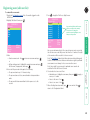
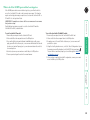
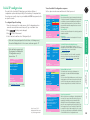
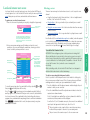
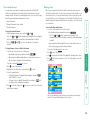
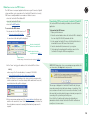
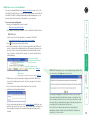
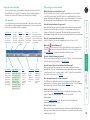
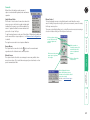
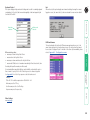
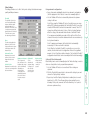
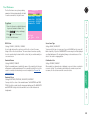
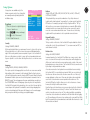
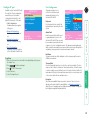
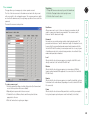
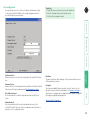
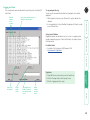
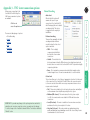
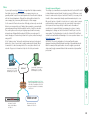
Registering users (edit user list) 3 Either: , • Create a new account - Press , enter a new user name and press or • Edit an existing account - Highlight the required user name and press Edit the name, if appropriate, and/or press . 4 Enter or edit the password with regard to the following: • The password can be up to 12 characters long. • The password can use letters, numerals and/or certain punctuation marks. • The password field can remain blank to allow open access to this account. Here you can determine which of the connected servers can be accessed by the selected user account. Only servers that show the ‘+’ marker to the right of the menu box will be accessible to the user account. Note: The Port Direct feature (which allows interconnected switching units to talk to one another) ensures that users without access rights to particular servers cannot move sideways to those servers via other servers. Note: Access rights for user accounts to particular servers can also be controlled from the ‘Edit Server List’ menu. 6 Select and deselect servers as follows: • Individual server - Highlight a server name, then press to apply, or remove, a ‘+’ marker. • Access to all servers – Press • Access to no servers – Press 7 When all settings have been made, press to save and exit. Press to return to the ‘Configuration Menu’. Cross markers indicate which servers will be accessible to the currently selected user. To change the permission state: Highlight a server and press the space bar. Del-Delete Enter-Edit SERVSWITCH CX Edit access rights + Computer 1 01 + Computer 2 02 + Computer 3 03 Computer 4 04 Computer 5 05 + Computer 6 06 Computer 7 07 + Computer 8 08 Space-Toggle Enter-Save F2-None F1-All F3-Find Esc-Quit Ins-Add F1-Clone -Select Esc-Quit to display the ‘Edit Access Rights’ menu. SERVSWITCH CX Edit User List admin Robert Oliver Johnny Sam 5 Press To create/edit user accounts 1 Display the Configuration menu. Note: You must be logged-in as the ADMIN user. 2 Highlight ‘Edit User List’ and press . ® 25