1
Setup Guide
Please read first.
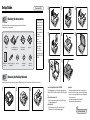
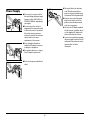
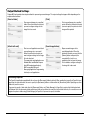
Checking the Accessories
If any of the items listed below are missing or damaged, contact your local authorized
Canon dealer or service representative.
DR-2020U
Software license
agreement
AC Adapter/Power Cord
(Connected length: 2.6 m)
USB Cable Type A/Type B
(Length: 1.8 m)
Setup Disc
Reference Guide
(this document)
Adobe Acrobat
Setup Disc
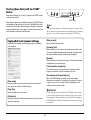
Before Use
• Items included in this
manual are subject to
change without notice.
• You must keep the
machine’s packaging
and packing materials
for storing or
transporting the
machine.
• A print version of
Reference Guide is
supplied in English.
PDF files of the
Reference Guide in
other languages can be
found on the Setup Disc
CD-ROM.
Application
Software Disc
4
5
6
7
8
9
10
11
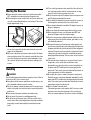
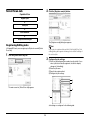
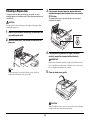
Removing the Packing Materials
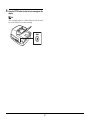
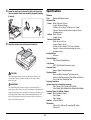
Remove the scanner from the box, remove the orange tapes (▼) and protective sheets from the scanner, and then release the lock switch.
1
2
3
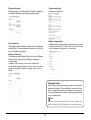
Contents of Application Software CD-ROM
The following applications are included on the supplied Application
Software CD-ROM. For details on installation, refer to the Readme.txt
file.
● Presto! BizCard Reader 5 SE
Business card management software from NewSoft Technology
Corp. with multi-language OCR.
● OmniPage SE 4*
Optical character recognition (OCR) software from Nuance
Communications Inc. with multiple language support.
● PaperPort®
File management application from Nuance Communications Inc.
that makes it easy to store, organize, and retrieve digital documents.
• In order to receive support of this product, you need to upgrade to
a Professional version.
• For details on upgrading, visit the following URL.
http://www.nuance.com/partneroffer/canon
☞ Continued on back side