1
Notations Used in This Guide
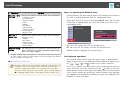
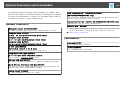
• Safety indications
The documentation and the projector use graphical symbols to show how to use the projector safely.
The indications and their meaning are as follows. Make sure you understand them properly before reading the guide.
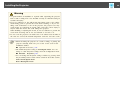
Warning
This symbol indicates information that, if ignored, could possibly result in personal injury or even death due to incorrect handling.
Caution
This symbol indicates information that, if ignored, could possibly result in personal injury or physical damage due to incorrect handling.
• General information indications
Attention
a
Indicates procedures which may result in damage or injury if sufficient care is not taken.
Indicates additional information and points which may be useful to know regarding a topic.
s
Indicates a page where detailed information regarding a topic can be found.
g
Indicates that an explanation of the underlined word or words in front of this symbol appears in the glossary of terms. See the "Glossary"
section of the "Appendices".
s "Glossary" p.159
[Name]
Menu Name
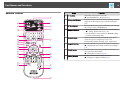
Indicates the name of the buttons on the remote control or the control panel.
Example: [Esc] button
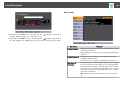
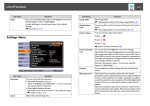
Indicates Configuration menu items.
Example:
Select Brightness from Image.
Image - Brightness
























































![Epson EB-460 [240v] Enhanced Warranty Education](http://vs1.manualzilla.com/store/data/007232844_1-494e9cd377264c6fcf7922b0cc777270-150x150.png)