1
!Chapter5.fm 59 ページ
2005年4月8日 金曜日 午前11時14分
ROUTINE MAINTENANCE
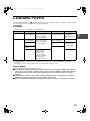
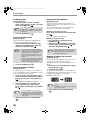
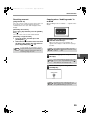
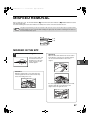
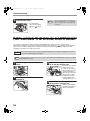
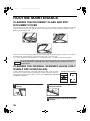
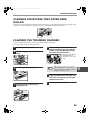
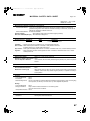
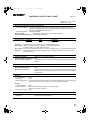
CLEANING THE BYPASS TRAY PAPER FEED
ROLLER
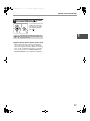
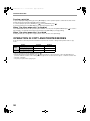
If misfeeds occur frequently when feeding envelopes, thick paper, etc. through the bypass tray, wipe the paper feed
roller at the feed slot of the bypass tray with a soft, clean cloth dampened with alcohol or water.
Paper feed roller
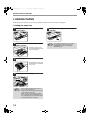
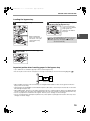
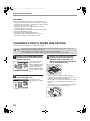
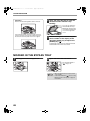
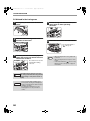
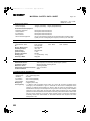
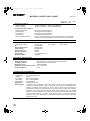
CLEANING THE TRANSFER CHARGER
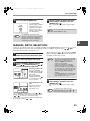
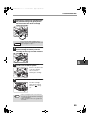
If copies start becoming streaky or blotchy, the transfer charger may be dirty.
Clean the charger using the following procedure.
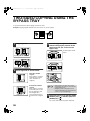
1
Turn the power switch off.
2
Open the bypass tray and the side
cover.
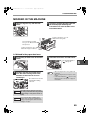
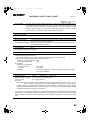
3
4
5
If the white sheet metal is
smudged with toner,
wipe it with a soft, clean
cloth.
Note
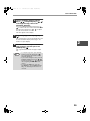
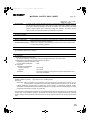
Lift and pull out the paper tray.
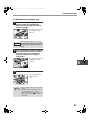
Take the charger cleaner out by
holding the tab.
Set the charger cleaner onto the
transfer charger and gently slide the
cleaner in the direction indicated by
the arrow two or three times.
Slide the charger cleaner from one end to the
other end along the groove of the transfer
charger. If the cleaner is stopped on the way,
smudges on copies may occur.
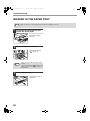
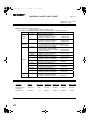
6
Return the charger cleaner to its
original position. Close the paper tray.
Close the side cover by pressing the
handle on the cover.
7
Turn the power switch on.
Charger
cleaner
59
6