1
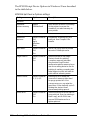
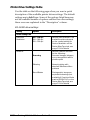
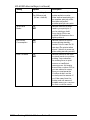
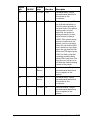
EPL-N1200 driver settings (continued)
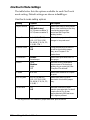
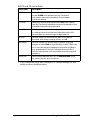
Setting
Options
Description
Memory
2, 3, 4, 5, 6, 7, 8, 10,
11, 12, 14, 18, 19, 20,
22, 26, 34, 35, 36, 38,
42, 50, 64 MB
Specifies the amount of
memory installed in the
printer. Increase the
number if you add memory
to your printer.
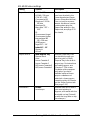
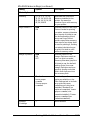
Page Protect **
Auto
ON
Sets the printer to use Page
Protect mode for printing
complex, memory-intensive
documents. It is best to use
the default setting (Auto)
because Page Protect
reallocates printer memory
from use for receiving data
to use for printing it, making
complex jobs take longer
to print, but able to print
without memory errors.
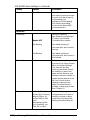
Image Optimum
Auto
ON
OFF
Sets the printer to use
Image Optimum mode so
you can print complex,
memory-intensive graphics.
It is best to use the default
setting (Auto) because
Image Optimum reduces
graphic quality and data
when that data reaches
the memory limit.
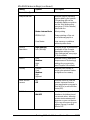
Feeder
Standard
Lower paper
cassette
2 Lower paper
cassettes
Sets the Paper Source
options available on the
Print Settings tab to include
any optional paper
cassettes you may have
installed: Standard (no
optional cassettes), Lower
paper cassette (one
cassette installed), 2 lower
paper cassettes (two
cassettes installed).
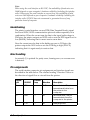
Installed
Cartridge
—
Not available
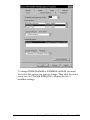
Printer Options tab
Printing With the Windows Printer Drivers
2-15