1
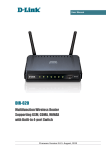
DIR-320NRU Multifunction Wireless Router
WiMAX, 3G GSM/CDMA with Built-in Switch
Supporting
Operation Guidelines
User Manual
Safety Instructions
Place your router on a flat horizontal surface or mount the router on the wall (the mounting holes
are located on the bottom panel of the device). Make sure that the router is provided with sufficient
ventilation.
To prevent overheating, do not obstruct the ventilation openings of the router.
Plug the router into a surge protector to reduce the risk of damage from power surges and lightning
strikes.
Operate the router only from an electrical outlet with the correct power source as indicated on the
adapter.
Do not open the cover of the router. Otherwise any warranty will be invalidated.
Unplug the equipment before dusting and cleaning. Use a damp cloth to clean the equipment. Do
not use liquid/aerosol cleaners or magnetic/static cleaning devices.
Wireless Installation Considerations
The DIR-320NRU device lets you access your network using a wireless connection from virtually
anywhere within the operating range of your wireless network. Keep in mind, however, that the
number, thickness and location of walls, ceilings, or other objects that the wireless signals must pass
through, may limit the range. Typical ranges vary depending on the types of materials and
background RF noise in your home or office. To maximize your wireless range, follow the
guidelines below.
1. Keep the number of walls and ceilings between the DIR-320NRU device and other network
devices to a minimum – each wall or ceiling can reduce your wireless network range by 390 feet (1-30 meters).
2. Be aware of the direct line between network devices. Place your devices so that the signal
travels straight through a wall or ceiling (instead of at an angle) for better reception.
3. Building materials make a difference. A solid metal door or aluminum studs may have a
negative effect on your wireless range. Try to position your router, access points, and
computers so that the signal passes through drywalls or open doorways. Materials and
objects such as glass, steel, metal, walls with insulation, water (fish tanks), mirrors, file
cabinets, brick, and concrete will degrade your wireless signal.
4. Keep your router away (at least 3-6 feet or 1-2 meters) from electrical devices or appliances
that generate RF noise.
5. If you are using 2.4 GHz cordless phones or X-10 equipment (wireless devices such as
ceiling fans, lights, and home security systems), your wireless connection may degrade
dramatically or drop completely. Make sure your 2.4 GHz phone base is as far away from
your wireless devices as possible. Note, that the base transmits a signal even if the phone in
not in use.
Page 153 of 156