1
5312/5324 IP Phones User Guide
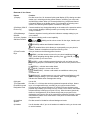
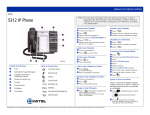
Ring/Message indicators
When indicator is
it means that
Flashing rapidly
Your phone is ringing
Flashing slowly
A message or callback message is waiting at your phone
On
Your phone is ringing another phone
Off
Your phone is idle, or you are on a call
Selecting Menu Options
Because the 5324 IP Phone offers softkeys, feature availability and menu options for the 5312 and
5324 IP Phones may differ.
To select menu items on the display:
1. On a 5324 IP Phone, press the softkeys.
2. On a 5312 IP Phone, press *, 0 and # on the keypad. For example, if options *=YES 0=DEFAULT
#=NO appear and you want to select YES, press *.
Procedures in this guide show all menu selection options, where applicable—for example, "Press the
* or Yes softkey". Procedures in this guide also specify when a menu option is available on only one
of the phones—for example, "On a 5324 IP Phone only, press the Save softkey".
About Feature Access Codes
Use of some features requires dialing access codes. The codes are flexible and may be different than
those in this guide. Ask your Administrator for a list of codes you should use.
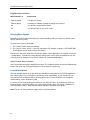
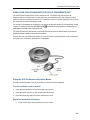
Line Interface Module
The Line Interface Module is an optional device that adds an analog phone line (POTS) capability to
your 5324 IP phone only. If Emergency Call Routing is not programmed on your SX-200 ICP, you
must use the Line Interface Module to dial emergency calls. For more information on emergency
number dialing, refer to Emergency Calls.
If you have a Line Interface Module connected to your 5324 IP Phone, all programming of the Line
Interface Module, except the Analog Key, is done by the Installer when your phone is installed. For
more information, refer to "Using the Line Interface Module" elsewhere in this guide.
Note: The 5312 IP Phone does not support the Line Interface Module.
4