1
DVD Function - USB memory device operations
3
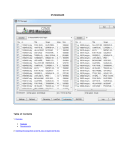
Press / or / to select the desired file,
then press ENTER.
You can also press
/
page-down in the list.
to move by page-up or
To change PLAY MODE.
Press REPEAT to change the PLAY MODE.
FUNCTION
PLAY MODE
When you press ENTER, the selected file will begin
playing. During play, press / to change to the next or
previous file.
SINGLE
SELECTED FILE ONLY
REP - ONE
REPEAT SELECTED FILE
You can also select a file by entering its file number shown
on the right side of the file name. Input the number and
press ENTER to play.
FOLDER
ALL FILES IN FOLDER
FOLDER REPEAT
REPEAT ALL FILES IN FOLDER
DISC SCAN
SCAN ALL FILES IN DISC
DISC
ALL FILES IN DISC
DISC REPEAT
REPEAT ALL FILES IN DISC
To pause playback
Press PAUSE button. Press PLAY to resume normal playback.
To reverse or advance playback rapidly
Press / during playback of AVI / MP3.
Each time you press
( or
), the player reverses (or
advances) playback rapidly changing the playback speed.
During playback, you can also press REPEAT to change the
PLAY MODE.
To zoom in a picture
The term “DISC” refers to the USB memory device connected
to the player.
Press ZOOM.
Each time you press ZOOM, the magnification is changed.
The 3 time magnification may not work for some AVI / JPEG
files according to their resolutions.
Pressing
moves the zoomed position during
playback of JPEG file.
To cancel the zoom function, select the normal size by pressing
ZOOM repeatedly.
To rotate/reflect a still picture
While the still picture is played back:
Pressing rotates the picture by 90 clockwise.
Pressing rotates the picture by 90 counterclockwise.
Pressing rotates the picture vertically.
Pressing rotates the picture horizontally.
To stop playback
Press STOP.
The SMART NAVI display appears on the TV.
NOTES
Opening the disc tray stops playback.
It may take time to show the SMART NAVI display due to
the layer configuration of the files and folders.
The SMART NAVI menu cannot show the file number more
than 1,000. When the files numbered over 1,000th are
played back, the player re-counts file number again from 0.
When the screen saver starts, the SMART NAVI display
disappears.
20
The PLAY MODE feature does not apply to the INX, CD+G
(MP3+MCG), or CD+G (MP3G) karaoke file folders.
To program files
Press PROG to change the PLAY MODE to PROGRAM.
Select a file and press ENTER to program. Repeat the
process of selecting a file and pressing ENTER to program.
Press STOP to finish the programming. Press PLAY to start
playback.
To return to Disc play
Be sure the player is in Stop mode. Press D/U to display
the DISC DRIVE / USB DEV selection menu. Select DISC
DRIVE by pressing / followed by PLAY or ENTER.
The player will become standby for a disc play.