1
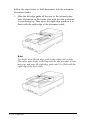
Be careful not to scratch OY damage the glass of the
d0c2md table, and a0 not use a hard OY abrasive brush
to clean it. A damaged glass surface can decrease the
scanning quality.
0 Never use alcohol, thinner, OY corrosive solvent to clean
the scanner. These chemicals can damage the scanner
components as well as the case.
0 Be careful not to spill liquid into the scanner mechanism
OY electronic components. This could permanently damage
the mechanism and circuitry.
0 Do not spray lubricants inside the scanner.
0 Never open the scanner case.
Replacing the fluorescent lamp
The luminosity of the fluorescent lamp declines over time. If
the lamp breaks or becomes too dim to operate normally, the
scanner stops working and both the READY and ERROR lights
flash. When this happens, contact your dealer about replacing
the lamp assembly.
Warning:
Never open the case of the scanner. If you think repairs OY
adjustments are necessary, consult your dealer.
Scanner Basics 2-9