1
1
Hardware Installation
This chapter provides instructions for unpacking, inspecting, I/O
cable connecting, power cable connecting, and powering on the
UltraNet Storage Director - eXtended (USDX) system.
Introduction
The UltraNet Storage Director - eXtended (USDX) platform features a
modular design that combines hardware and intelligent software to
enable connectivity of legacy and open systems resources across a
Wide Area Network (WAN).
The USDX is factory-configured to meet your site’s specific hardware
and software requirements. All host and network I/O hardware
components have been pre-installed, so that external host and
network connections are the only hardware requirements. Complete
the site preparation procedures as described in the UltraNet Storage
Director - eXtended Site Preparation User Guide prior to installing the
USDX hardware. After hardware installation is complete, use the
UltraNet Storage Director Configuration Wizards User Guide to make any
adjustments to your USDX software configuration.
Unpacking and Inspecting the Hardware
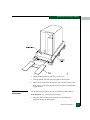
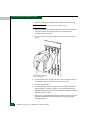
The USDX is packaged on a shipping pallet. Use the following
procedure to unpack your hardware:
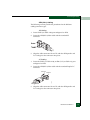
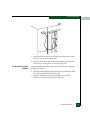
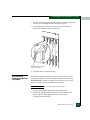
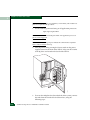
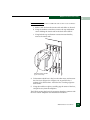
1. Cut and remove the plastic straps holding the cardboard cover in
place.
Hardware Installation
1-1