1
VG175.book Page 14 Tuesday, October 17, 2000 11:49 AM
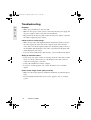
Troubleshooting
E
N
G
L
I
S
H
No power
• Make sure power button (or switch) is ON.
• Make sure A/C power cord is securely connected to the DC power supply and
the power supply is firmly connected to the ViewPanel®.
• Plug another electrical device (like a radio) into the power outlet to verify that
the outlet is supplying proper voltage.
Power on but no screen image
• Make sure the video cable supplied with the ViewPanel is tightly secured to
the video output port on the back of the computer. If the other end of the
video cable is not attached permanently to the ViewPanel, tightly secure it to
the ViewPanel. The ViewPanel comes with a 15 pin mini D-sub signal cable.
• Adjust brightness and contrast.
• If you are using an Macintosh® older than G3, you need a Macintosh adapter.
Wrong or abnormal colors
• If any colors (red, green, or blue) are missing, check the video cable to make
sure it is securely connected. Loose or broken pins in the cable connector
could cause an improper connection.
• Connect the ViewPanel to another computer.
• If you have an older graphics card, contact ViewSonic® for a non-DDC
adapter.
Entire screen image scrolls (rolls) vertically
• Make sure video input signals are within the ViewPanel's specified frequency
range.
• Try the ViewPanel with another power source, graphics card, or computer
system.
14
ViewSonic VA800