1
Table of Contents
Section 1
Introduction
1.1
1.2
1.3
1.4
1.4.1
1.4.2
1.4.3
Intended Audience ............................................................................................. 1-1
Related Materials ............................................................................................... 1-2
JDOM License.................................................................................................... 1-2
Technical Support............................................................................................... 1-3
Availability.................................................................................................. 1-3
Training...................................................................................................... 1-3
Contact Information ................................................................................... 1-4
Section 2
Using QuickTools
2.1
2.2
2.3
2.3.1
2.3.2
2.3.3
2.3.4
2.3.5
2.3.5.1
2.3.5.2
2.3.6
2.3.7
2.4
2.5
2.6
2.7
Workstation Requirements ................................................................................. 2-1
Opening QuickTools ........................................................................................... 2-2
QuickTools User Interface .................................................................................. 2-3
Maintenance Panel Health Check ............................................................. 2-4
Fabric Tree ................................................................................................ 2-5
Graphic Window ........................................................................................ 2-5
Data Windows and Tabs............................................................................ 2-5
Menu Bar ................................................................................................... 2-6
Popup Menus ................................................................................... 2-8
Shortcut Keys ................................................................................... 2-8
Selecting Switches .................................................................................... 2-8
Selecting Ports .......................................................................................... 2-8
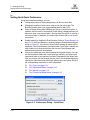
Setting QuickTools Preferences ....................................................................... 2-10
Using Online Help ............................................................................................ 2-11
Viewing Software Version and Copyright Information ...................................... 2-11
Exiting QuickTools ............................................................................................ 2-11
Section 3
Managing Fabrics
3.1
3.1.1
3.1.2
3.2
3.3
3.4
3.5
3.5.1
Fabric Services................................................................................................... 3-1
Enabling SNMP Configuration................................................................... 3-2
Enabling In-band Management ................................................................. 3-2
Rediscovering a Fabric....................................................................................... 3-2
Adding a New Switch to a Fabric ....................................................................... 3-2
Replacing a Failed Switch .................................................................................. 3-3
Event Browser .................................................................................................... 3-4
Filtering the Event Browser ....................................................................... 3-6
59235-02 A
Page iii