1
User Manual Albrecht GP 1
the button, then wait about ½ second before You start speaking. Release the button after Your speech
transmission has ended. During transmission You will see the TX icon in the display.
After releasing the PTT button, the GP 1 is ready to receive voice and ID calls/location messages from
other stations. There is a sensitive squelch circuit in Your radio which can suppress noise during the
transmission pauses. Incoming signals will be displayed with their relative signal strength. The PTT
key can also be used as CALL button. When pressed 2 x very shortly, the radio will transmit one of 9
possible Call melodies.
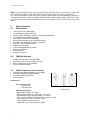
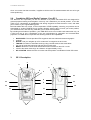
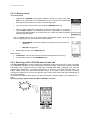
8.1.5. external sockets for mic/earphone sets (5)
The audio socket allows connection of external Albrecht Headsets like AE 740, having a 2.5 mm
stereo jack. Adaptor ( Nr. 29254) is available for most other ALAN + Albrecht headset systems with
double connectors 2.5/3.5 mm.
8.2.
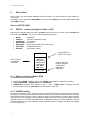
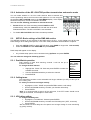
Adjusting more PMR 446 functions via HOT KEY menu
Other functions, which are not needed each time You use Your radio sections,
can be reached from the STANDBY pages:
•
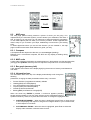
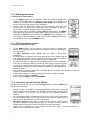
On the STANDBY page press ENTER. The HOT KEY menu opens.
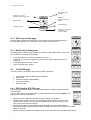
8.2.2. Channel Selection CH
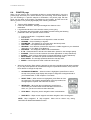
In order to communicate with other GMRS units, both transmitting and receiving
party must be on the same frequency. The radio function of the GMR-GPS has 8
channels (frequencies) (1-8) as indicated to the right of the CH icon, and also on
the standby page. Before transmitting on the selected channel, press the MON
button to check the activity on that channel. If there is activity on the selected
channel, change to another channel that is clear. The active channel will appear on
the LCD.
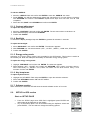
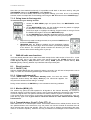
To change the channel:
• Press Up or DOWN wheel keys and the channel number will be
highlighted.
• Press the Enter switch. The channel pop-up screen appears.
• Press the Up/Down wheel key switch to select the channel number. Press
ENTER switch.
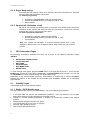
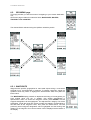
8.2.2. CTCSS sub code selection CODE
The radio applies a Coded Tone Controlled Squelch System (CTCSS) with 38 SubFrequencies. This feature allows you to create a “closed user group” with Your
partners and utilizes continuous tone coded squelch system, an international
standard system with code numbers 01–38. The system will suppress all unwanted
reception from other users, as well as many interference effects on Your channel.
You hear only Your partner stations and nobody else, if others should use the
same channel. You may select different CTCSS sub codes for any of the 8
operating channels.
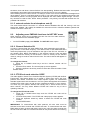
To change the CTCSS sub code:
• Press UP or DOWN wheel keys and the CTCSS sub code will be
highlighted.
• Press the Enter switch. The CTCSS sub code pop-up screen appears.
• Press the Up/Down wheel key switch to select the CTCSS sub code
number.
• Press ENTER switch.
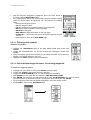
IMPORTANT: To communicate with other partners, all units must must be
switched to the same channel and CTCSS sub-code. To communicate with other
PMR radios that do not have sub codes, switch your unit to the same channel with
the sub code set to 00. The CTCSS sub-codes do not prevent others from hearing
29