1
User Manual Albrecht GP 1
5.
Basic Setup
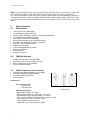
After Yor GP1 has successfully initialised the GPS receiver, You should adjust the basic settings to
Your needs.
All settings can be selected by UP/DOWN und confirmed by ENTER (the center switch between UP
and DOWN position).
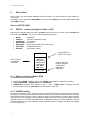
Start on SETUP PAGE
5.1
SETUP – common settings for Radio + GPS
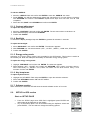
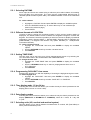
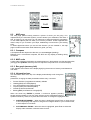
Start from the Standby page and press 5 x PAGE. Select with Up (•) or Down (‚) the SETUP field
and confirm with ENTER. You may now adjust following parameters:
•
•
•
•
•
•
•
MODE
USER ID
CONTRAST
BACKLIGHT
PWR SAVE
KEY BEEP
S/W VER
of operation
Your own identification name
of LC display
for display
Energy saving mode (GPS section only)
keyboard beep tones
see software version
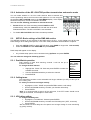
Press ENTER, to
select a menu point
Scroll with UP
or DOWN to
select item
âMODE
USER ID
CONTRAST
BACKLIGHT
PWR SAVE
KEY BEEP
S/W VER
MODE
RADIO + GPS
Displays selected
mode of operation:
RADIO+GPS
RDO ONLY
GPS ONLY
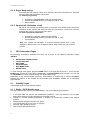
5.1.1. Mode of operation (Radio, GPS)
To select the mode of operation:
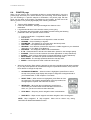
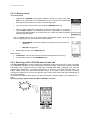
Ø Highlight the „MODE“ field and confirm with ENTER, to get selections inside the sub menu.
Ø Select „RADIO+GPS“, „RADIO ONLY“ oder „GPS ONLY“.
Ø „RADIO+GPS“ activates both sections of GP 1, while „RADIO ONLY“ activates the radio
transceiver part only and „GPS ONLY“ the GPS section of the GP 1.
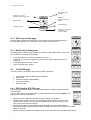
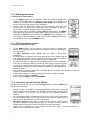
5.1.2. USER ID setting
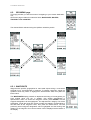
A user ID is necessary, when You intend to transmit Your position data to other partners via Your radio
link. Without User ID the other stations would not be able to see to whom a position data set belongs.
Transmitting of User ID means a kind of selective calling: All other stations in Your RF range receive a
beep tone, and in the display(s) Your ID appears together with Your actual position. While European
regulations allow no automatic data transmission on PMR446 channels, we have coupled the position
data transmission to the manual SEND command together with the ID signal and alarm tone/display
on the receiving side.
12