1
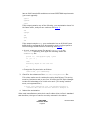
4. Check the Rem_Mdls_Log_<DATE>_<TIME> file to confirm that all of
the FastEnetApp and EnetControlApp models were successfully
removed.
If a model was not in contact when the script was running, it will not
be removed. Ensure that the devices are active on the system and
repeat step 3 and step 4 until you have confirmed that all models are
removed.
Troubleshooting
If the Rem_EnetApp_Mdls.sh script does not run:
1. Ensure that you are a valid SPECTRUM user.
2. Navigate to:
<$SPECROOT>/vnmsh
3. Run the following command:
./connect <SpectroSERVER host>
4. Run the following command:
./disconnect <SpectroSERVER host>
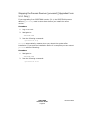
Removing the Discontinued Model Types
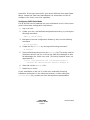
After the discontinued models have been removed, you must remove the
discontinued model types from your database. A file in the directory
SS-Tools/Remove_EnetApps contains a white-space-separated list of
model type handles that have been discontinued.
Procedure
1. Stop the SpectroSERVER.
2. Navigate to:
<$SPECROOT>/SS
3. Run the following command:
../SS-Tools/db_remove ../SS-Tools/
Remove_EnetApps/obsmdltyplist.txt
You can also run the above command with the debug flag turned on,
as follows:
../SS-Tools/db_remove -debug
../SS-Tools/Remove_EnetApps/obsmdltyplist.txt
SPECTRUM
Installation Guide
Page 93
Document 0675