1
Host PC Configuration
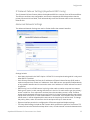
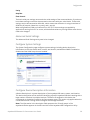
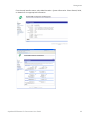
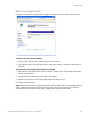
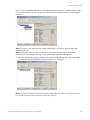
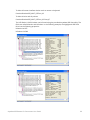
In the event the host PC requests a Group that is not configured on the AnywhereUSB unit, the
host PC Connection Status will display something similar to the following indicating that the
selected Group is not configured on the given AnywhereUSB unit (see below).
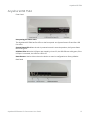
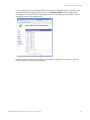
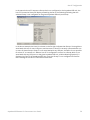
In the above example, the Host List column on the far right indicates that Groups 1 through 4 are
associated with one or more USB ports, and there are no host PCs currently connected with one
or more of these Groups. Group 5 is not associated with any USB port, therefore it's not possible
for a host PC to connect to it. When a host PC is configured to connect to a Group which is not
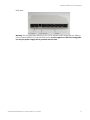
associated with any USB ports on the given AnywhereUSB unit, a Yellow Warning Symbol (!) is
displayed on front of the AnywhereUSB. Also, note the “Group 5 is not configured on Remote
Hub” message in the Host PC Connection Status area.
AnywhereUSB Remote I/O Concentrator User Guide
56