1
AnywhereUSB/2
AnywhereUSB/2
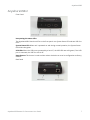
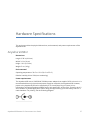
Front Panel
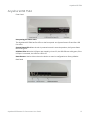
Interpreting the status LEDs
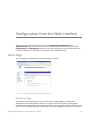
The AnywhereUSB/2 has three LEDs on the front panel: one System Status LED and two USB Port
LEDs.
System Status LED: When unit is powered on and during normal operation, the System Status
LED blinks slow green.
USB LEDs: When the USB ports are owned by a host PC, the USB LEDs are solid green; if the USB
port is unowned, the USB Port LED is off.
Reset Button: This button is used to either reboot the device or reset its configuration to factory
defaults.
Back Panel
AnywhereUSB Remote I/O Concentrator User Guide
7