1
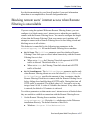
Chapter 5: Initial Setup See the documentation for your firewall product if you need information about how to accomplish these firewall configuration tasks. Blocking remote users’ internet access when Remote Filtering is unavailable If you are using the optional Websense Remote Filtering feature, you can configure it to block remote users’ internet access when they are unable to connect with the Remote Filtering Server. You can also configure the length of time that the Remote Filtering Client on a remote user’s machine will attempt to connect with a Remote Filtering Server before failing closed and blocking access to all websites. This behavior is controlled by the following two parameters in the securewispproxy.ini file on the Remote Filtering Server machine: FailClose: The FailClose parameter specifies whether a Remote Filtering Client fails open or closed when connectivity with the Remote Filtering Server is lost. When set to false, the Filtering Client fails open and all HTTP traffic is allowed. The default value is false. When set to true, the Filtering Client fails closed and all HTTP traffic is blocked. FailCloseTimeout: The FailCloseTimeout parameter applies only when Remote Filtering clients are set to fail closed (FailClose=true). FailCloseTimeout specifies the amount of time, in minutes, that the Remote Filtering Client tries to connect with the Remote Filtering Server before failing closed and blocking all HTTP traffic. During this time, all HTTP traffic is permitted. The default value is 15, but can be set to any integer from 0 to 60. A value of 0 disables the timeout. If any other value is entered, the default of 15 minutes is enforced. To set these parameters so that remote users’ internet access is blocked when they are unable to establish a connection with the Remote Filtering Server: 1. On the Remote Filtering Server machine, locate the securewispproxy.ini file in the bin subdirectory in the Websense installation directory. The default location of this file is: Windows: \Program Files\Websense\bin Sun Java System Web Proxy Server 217