1
The Setup Menu
Return to Pg.1
Page 20
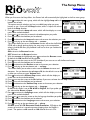
7. Press
to activate the Bass Corner Frequency screen, which will
display a graph of the bass corner frequency range.
8. Press
or
to adjust the levels in the graph until they match your
preferences.
9. Press
to deactivate the Bass Corner Frequency screen and to enter
your selection.
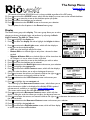
10. Press
to highlight the t. boost tab.
11. Press
to activate the Treble Boost screen, which will display the sliding
bar scale for the bass range.
12. Press
to increase the treble boost, represented by the number in the
slide bar or press
to decrease the treble boost.
13. Press
to deactivate the Treble Boost screen and to enter your
selection.
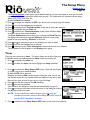
14. Press
to highlight the t.c.freq tab.
15. Press
to activate the Treble Corner Frequency screen, which will
display a graph of the treble corner frequency range.
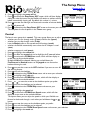
16. Press
or
to adjust the levels in the graph until they match your
preferences.
17. Press to deactivate the Treble Corner Frequency screen and to enter
your selection.
This completes the list of options in the User EQ menu group.