1
Using Your RioVolt SP250
Return to Pg.1
Page 10
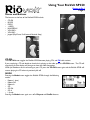
PROG
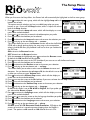
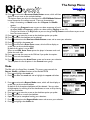
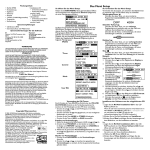
The PROG button allows you to repeat selected sequences of your music or to program a playlist of tracks
you wish to listen to.
Repeat A-B
1. Once you have located the sequence you wish to repeat, press PROG
once.
This initiates the sequence and places the Repeat symbol and an A at the
top of the display.
2. Press Play/Pause
on the Joypad to begin playing the music you wish to
repeat.
3. Once you reach the end of the sequence you wish to repeat, press PROG again.
This ends the sequence, places an A-B at the top of the display and begins replaying the sequence you
selected.
NOTE: To clear the Program settings, press the Prog. button again.
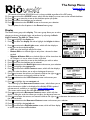
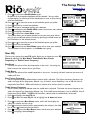
Program
1. Press and hold PROG while the CD is not in play.
This will display the Program screen.
2. Press
,
or +10 buttons to locate the tracks you wish to program into
your playlist.
3. Press PROG to select each track.
4. Repeat Steps 2 and 3 until you have finished selecting tracks.
5. Press Play/Pause to begin playing the playlist of tracks.
A P will replace the musical note icon to indicate the RioVolt is playing a programmed playlist.
6. Press Stop to stop playing the playlist and to clear it from memory.
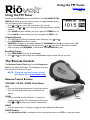
+10/EQ
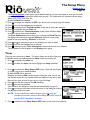
Pressing the +10/EQ button causes the RioVolt to skip 10 tracks ahead of its current song position.
Pressing and holding the +10/EQ button for approximately 1.5 seconds brings up the available EQ presets in
the bottom-right corner of the display, replacing the Balance Indicators.
They are:
• Normal (factory default)
• Rock
• Jazz
• Classic
• Ultra Bass
• User EQ
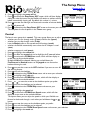
Press +10/EQ to cycle through them until you find the one that satisfies your listening preferences.
If no action is taken for a few seconds, the RioVolt will return to the normal display and whatever preset was
last selected will be the one it uses.
The User EQ preset is a setting that you can create based upon your preferences. See “User EQ” on
page 19 for more information on creating User EQ presets.