1
The Device View
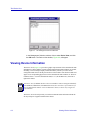
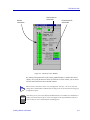
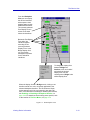
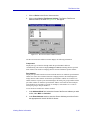
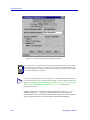
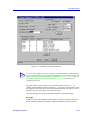
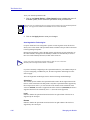
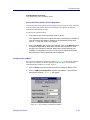
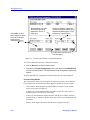
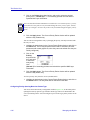
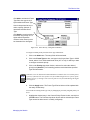
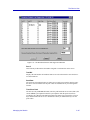
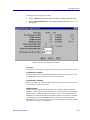
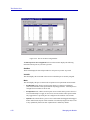
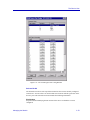
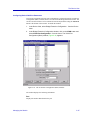
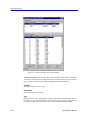
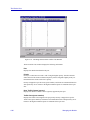
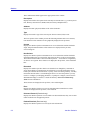
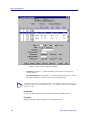
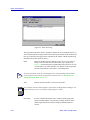
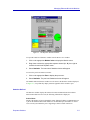
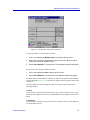
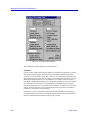
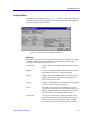
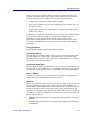
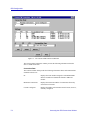
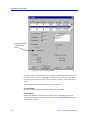
2. Click on Module Information. The Module Information window, Figure 2-6,
will appear.
Figure 2-6. The Module Information Window
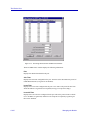
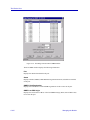
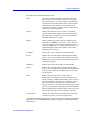
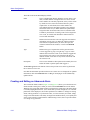
Firmware Version
The system description of the module, including its firmware revision number.
Boot Prom
The revision of boot PROM firmware in the module, including major version number and
minor revision number. The boot PROM provides power-on diagnostics and download
capability which enables the module’s system image (which provides its runtime
functionality) to be downloaded over the network.
Top Level Serial Number
The top level serial number of the module associated with this PIC chip which provides
encoded manufacturing date, location, serial number, and top level revision number which
can be used for troubleshooting information.
Base MAC Address
The base MAC address (in Ethernet format) assigned to the module.
SMB 1 Prom Version
This field is not applicable to the SmartSwitch 6000 or Matrix E7 module. It will be blank.
Viewing Hardware Types
In addition to the graphical displays described above, menu options available at the device
and module levels provide specific information about the physical characteristics of the
SmartSwitch 6000 or Matrix E7 chassis and its installed modules.
Viewing Device Information
2-25