1
Note:
■
■
Oracle recommends that you take multiple values for the available
RAM and swap space before finalizing a value. This is because the
available RAM and swap space keep changing depending on the
user interactions with the computer.
Contact your operating system vendor for swap space allocation
guidance for your server. The vendor guidelines supersede the
swap space requirements listed in this guide.
Automatic Memory Management
Starting with Oracle Database 11g, the Automatic Memory Management feature
requires more shared memory (/dev/shm)and file descriptors. The shared memory
should be sized to be at least the greater of MEMORY_MAX_TARGET and MEMORY_TARGET for
each Oracle instance on that computer.
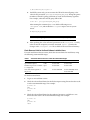
To determine the amount of shared memory available, enter the following command:
# df -h /dev/shm/
MEMORY_MAX_TARGET and MEMORY_TARGET cannot be used when
LOCK_SGA is enabled or with HugePages on Linux.
Note:
3.2 System Architecture
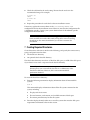
To determine whether the system architecture can run the software, enter the
following command:
# uname -m
This command displays the processor type. Verify that the
processor architecture matches the Oracle software release to install. If
you do not see the expected output, then you cannot install the
software on this system.
Note:
3.3 Disk Space Requirements
The following are the disk space requirements for installing Oracle Database 11g
Release 2 (11.2):
■
At least 1 GB of disk space in the /tmp directory
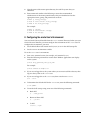
To determine the amount of disk space available in the /tmp directory, enter the
following command:
# df -h /tmp
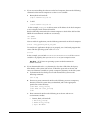
If there is less than 1 GB of free disk space available in the /tmp directory, then
complete one of the following steps:
■
Delete unnecessary files from the /tmp directory to meet the disk space
requirement.
5