1
Keyboard Function
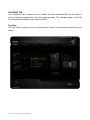
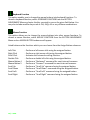
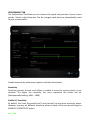
This option enables you to change the mouse buttons into keyboard functions. To
choose a keyboard function, select KEYBOARD FUNCTION from the BUTTON
ASSIGNMENT Menu and enter the Key you wish to use on the given field below. You
may also include modifier keys such as Ctrl, Shift, Alt or any of these combinations.
Mouse Function
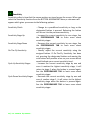
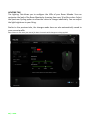
This option allows you to change the mouse buttons into other mouse functions. To
choose a mouse function, select MOUSE FUNCTION from the BUTTON ASSIGNMENT
Menu and an ASSIGN BUTTON submenu will appear.
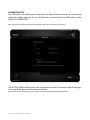
Listed below are the functions which you can choose from the Assign Button submenu:
Left Click
Right Click
Scroll Click
Double Click
Mouse Button 4
Mouse Button 5
Scroll Up
Scroll Down
Scroll Left
Scroll Right
19 | razer
- Performs a left mouse click using the assigned button.
- Performs a right mouse click using the assigned button.
- Activates the universal scrolling function.
- Performs a double left click using the assigned button.
- Performs a “Backward” command for most internet browsers.
- Performs a “Forward” command for most internet browsers.
- Performs a “Scroll Up” command using the assigned button.
- Performs a “Scroll Down” command using the assigned button.
- Performs a “Scroll Left” command using the assigned button.
- Performs a “Scroll Right” command using the assigned button.