1
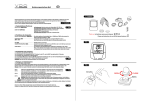
17. Programming (setting-up) your odometers ODO1 / ODO2
GB
C
15
You can enter individual odometer values into your VDO CYTEC C 15 at any time, i.e. transferring data from your old computer into
your new VDO CYTEC C 15 or after a battery change.
Watch out: after a battery change, your data for totals ODO 1, ODO 2 and TOTODO are reset to zero.
TIP: If you want to re-enter your totals after a
battery change, take down the values for ODO1
and ODO 2 before removing the battery.
You may have your VDO CYTEC C 15
manage your total for wheelsize 1 in ODO 1 and
your total for wheelsize 2 in ODO 2. The
computer then automatically sums up the total out
of ODO 1 and ODO 2 in TOTODO.
Set-up procedure for entering totals is similar for
ODO 1 or ODO 2.
START
MODE 1 5sec.
MODE 1 5sec.
to quit
Step 1: Call information for ODO 1 (if you want
to program ODO 1) or ODO 2 (if you want to
program ODO 2) into your display.
Step 2: Start the set-up mode for
odometers by pressing the MODE 1 button for
5 sec. The last number is flashing.
MODE 2 0,1sec.
to increase
Entering data is done by MODE 1 and MODE 2 buttons. (see set-up mode)
16
MODE 1 0,1sec.
switch to next