1
Speed Dialing
Edit a Number/Name in Speed Dial
Basic Operation
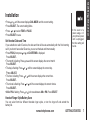
1. Press and hold the memory location key (1 through 9) of the SPEED EDIT ERASE
entry you wish to edit.
8005959511
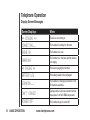
2.When the screen displays the entry you want to edit, press
01
SELECT. Then press
or until EDIT flashes.
3.Press SELECT. The screen displays the name and number. The
cursor appears at the end of the name. Use ,
and the dial pad keys to edit the name.
4. Press SELECT to move on to edit the number. Use to backspace and make corrections.
5. Press SELECT to move to edit the distinctive ring setting. Use or to change the setting.
6. Press SELECT.
Delete a Number/Name in Speed Dial
1. Press and hold the memory location key (1 through 9) of the entry you wish to delete.
2.When the screen displays the entry you want to delete, press
SELECT. Then press or until ERASE flashes.
SPEED EDIT ERASE
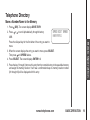
3. Press SELECT, the screen displays:
8005959511
4. Press
or until YES flashes.
01
5. Press SELECT. You’ll hear a confirmation beep.
Dial a Speed Dial Number
•Press and hold the memory location key (1 through 9) of the entry you wish to dial.
•Press TALK to dial the displayed memory number.
Reassign Locations in Speed Dial
1. Press and hold the memory location key (1 through 9) of the SPEED EDIT ERASE
8005959511
01
www.vtechphones.com
BASIC OPERATION
15