1
5 - 16 MP6000 INTEGRATOR GUIDE
Weighing Items
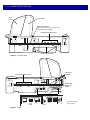
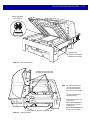
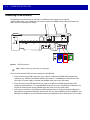
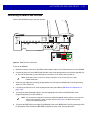
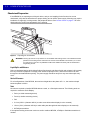
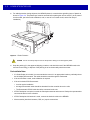
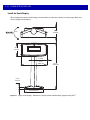
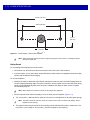
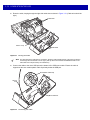
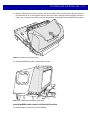
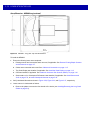
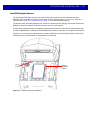
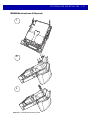
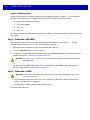
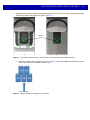
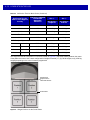
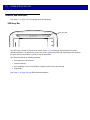
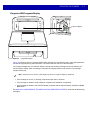
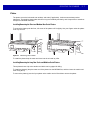
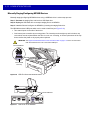
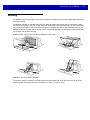
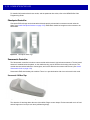
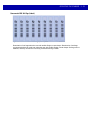
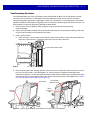
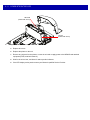
For proper weighing, items should be placed fully on the shaded (gray) regions of the scanner.
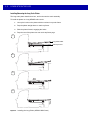
Raised Rail
Figure 5-13 Gray Weighing Region
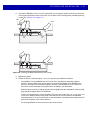
Long items may be weighed by laying them on the raised vegetable rail so that the end that overhangs the
weighing surface is suspended above the countertop.
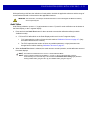
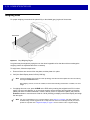
To weigh items, follow the steps below.
1.
Ensure all items are removed from the platter, and the platter is in place.
2.
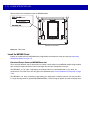
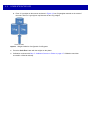
Verify the Scale Display shows 0.00 lb (0.000 kg).
NOTE
If the Scale Display does not show 0.00 lb (0.000 kg), clear all items off the platter and zero the scale by
touching the Scale Zero button.
After weighing an item, if tones are enabled, a sound emits indicating transmission of a stable, non–zero
weight.
3.
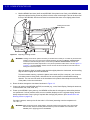
If weighing does not occur, press CLEAR on the POS and try entering the weighed item's PLU number
again. If an error code displays, or an error beep sounds, remove the item from the platter, remove the
platter and check for debris underneath. If there is debris, remove it. Replace the platter, and press the
Scale Zero button to reset the scale. Wait for 0.00 lb (0.000 kg) to display on the Scale Display and weigh
the item again.
NOTE
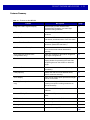
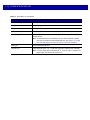
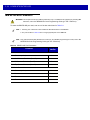
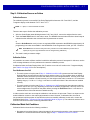
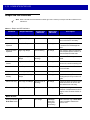
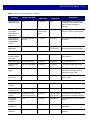
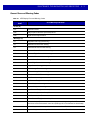
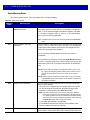
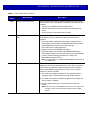
If an error code displays in the 7-segment display, check Table A-1 on page A-5 for likely causes and
troubleshooting. If those suggestions do not help, take note of the error message and call your service
provider or help desk. See 7-segment Display on page 1-9 for the location of the 7-segment display.