1
ADJUSTMENT (Continued)
SET UP (Continued)
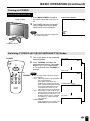
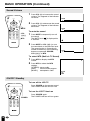
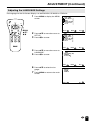
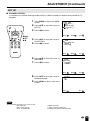
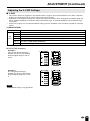
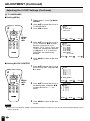
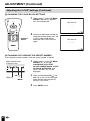
■ Saving broadcast TV channels in the memory
1
Press MENU to display the MENU
screen, press ]/[ to move the
cursor to SET UP, and press </ >
to enter.
2
Press ]/[ to move the cursor to
CH-SETTING, and press </ > to
enter.
3
Press ]/[ to move the cursor to
CH SEARCH, and press </ > to
enter.
4
Press >. The tuner will search
through all available channels in
your area and add them to the
TV’s memory.
POWER
DISPLAY
SLEEP
BRIGHT
MENU
MUTE
TV/VIDEO
FLASHBACK
VOL
CH
1
2
3
4
5
6
7
8
9
MTS
0
100
MENU/
]/[/
</ >
Note:
■ To interrupt CH SEARCH, press <. CH
SEARCH will stop at the current
channel and will not add any higher
channels.
5
CH–SETT I NG
RETURN
A I R/ CABLE
CH SEARCH
CH MEMORY
CH SEARCH
AIR
2
START :
EX I T : MENU
Press MENU to exit.
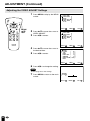
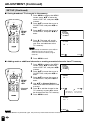
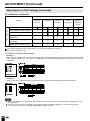
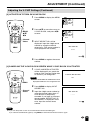
■ Adding weak or additional channels or erasing unwanted channels from TV memory
1
Press MENU to display the MENU
screen, press ]/[ to move the
cursor to SET UP, and press </ >
to enter.
CH–SETT I NG
RETURN
A I R/ CABLE
CH SEARCH
CH MEMORY
2
Press ]/[ to move the cursor to
CH-SETTING, and press </ > to
enter.
3
CH MEMORY
Press ]/[ to move the cursor to
CH MEMORY, and press </ > to
enter.
4
Use ]/[ or Channel Select to
select each desired channel to add
or erase.
5
Press > to add the channel to the
TV’s memory or press < to erase
the channel from the TV’s memory.
6
Press MENU to exit.
POWER
DISPLAY
SLEEP
BRIGHT
MENU
MUTE
TV/VIDEO
FLASHBACK
VOL
CH
1
2
3
4
5
6
7
8
9
MTS
0
100
MENU/
]/[/
</ >
Channel
Select
AIR
2
TO ADD :
EX I T : MENU
>
to add channel 2
to the TV memory
<
to erase channel 2
to the TV memory
CH MEMORY
AIR
TO ERASE :
Note:
■ If CH SEARCH is performed again, the previously memorized channels will be lost.
26
2
EX I T : MENU