1
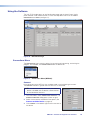
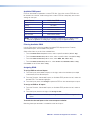
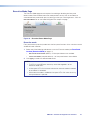
Executive Mode Page
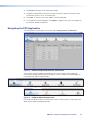
The Executive Mode page contains options for enabling or disabling the front panel
lockout mode. When enabled, executive mode provides security from an accidental or
unauthorized front panel button press by locking out the input switching buttons. Click the
Executive Mode icon on the Global Navigation Bar to open the page.
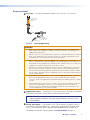
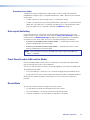
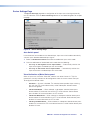
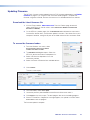
Figure 36. Executive/Power Mode Page
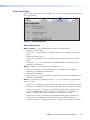
Executive mode
Front panel lockout (executive) mode locks the front panel functions of the switcher to avoid
accidental button selection.
1. Select one of the following radio buttons to set the Executive mode (see Front Panel
Lockout (Executive Mode) on page 14).
•
Unlock the Front Panel (default) – all front panel buttons are available.
•
Lock Front Panel (complete lockout) – no front panel buttons are available.
2. Click Apply to make the selected mode active.
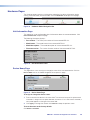
NOTES:
• The RS-232 and USB ports are always accessible regardless of the
executive mode state.
• All front panel LEDs flash twice to indicate that executive mode is enabled
or to indicate it is disabled.
• While executive mode is enabled all front panel LEDs flash twice when any
front panel button is pressed.
MPS 601 • Software Configuration and Control
41