1
Contents
Introduction
High Definition Digital Audio Entertainment........................................ ix
What is EAX ADVANCED HD? ............................................................. x
CreativeWare .................................................................................. xi
In Your Package ............................................................................. xi
System Requirements ..................................................................... xi
Sound Blaster Audigy card........................................................ xi
SB1394 applications, games and DVD viewing ............................xii
Getting More Information................................................................. xii
More Help ...................................................................................... xii
Technical Support ........................................................................... xii
Document Conventions.................................................................... xiii
1
Installing Hardware
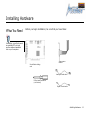
What You Need...................................................................................... 1-1
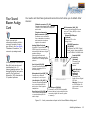
Your Sound Blaster Audigy Card .............................................................. 1-2
Your Joystick/MIDI Bracket ..................................................................... 1-3
Installation Steps ................................................................................... 1-4
Step 1: Prepare your computer ...................................................... 1-4
Step 2: Install the Sound Blaster Audigy card .................................. 1-5
Step 3: Install the Joystick/MIDI bracket (optional) .......................... 1-5
Step 4: Connect to power supply .................................................... 1-6
Connecting Related Peripherals................................................................ 1-7
Connecting Speaker Systems .................................................................. 1-8
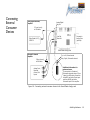
Connecting External Consumer Devices .................................................... 1-9
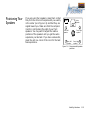
Positioning Your Speakers ..................................................................... 1-10
2
Installing Software
Installing Drivers and Applications............................................................ 2-1
Installing Ulead VideoStudio Application .......................................... 2-1
ii