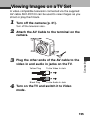
1
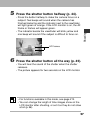
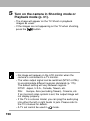
on the camera in Shooting mode or
5 Turn
Playback mode (p. 31).
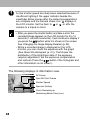
• The image will appear on the TV. Shoot or playback
images as usual.
• If the images are not appearing on the TV when shooting,
press the
button.
• No image will appear on the LCD monitor when the
camera is connected to a TV monitor.
• The video output signal can be switched (NTSC or PAL)
to accommodate different regional standards (p. 175).
The default setting will vary between regions.
NTSC: Japan, U.S.A., Canada, Taiwan, etc.
PAL: Europe, Asia (excluding Taiwan), Oceania, etc.
If an incorrect video system is set, the output image will
not display properly.
• If the TV is a stereo model, you can plug the audio plug
into either the left or right Audio In jack. Please refer to
the TV’s manual for details.
• A TV set cannot be used in
mode.
156