1
Camera Care and Maintenance
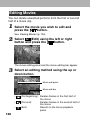
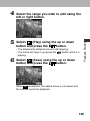
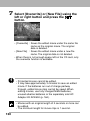
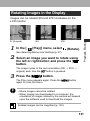
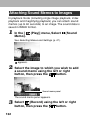
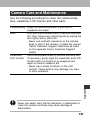
Use the following procedures to clean the camera body,
lens, viewfinder, LCD monitor and other parts.
Appendix
Camera Body Wipe the camera body with a soft cloth or
eyeglass lens wiper.
Lens
First use a lens blower brush to remove dust and
dirt, then remove any remaining dirt by wiping the
lens lightly with a soft cloth.
• Never use synthetic cleansers on the camera
body or lens. If dirt remains, contact the closest
Canon Customer Support Help Desk as listed
on the separate Canon Customer Support
leaflet.
Viewfinder,
Use a lens blower brush to remove dust and dirt.
LCD monitor If necessary, gently wipe the viewfinder and LCD
monitor with a soft cloth or an eyeglass lens
wiper to remove stubborn dirt.
• Never rub or press forcefully on the LCD
monitor. These actions may damage it or lead
to other problems.
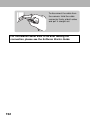
Never use water, paint thinner, benzene, or detergents to
clean the camera, as these may cause damage or
deformation.
191