1
4.
5.
Adjust the second-level menu displays using the same
procedures as the first level.
To save the adjustments and exit from the second-level menu,
select Save and Return, then select Exit.
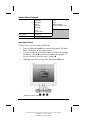
To launch the Advanced Main Menu:
1.
Select the Advanced Main Menu from the Main Menu or press
the Menu button twice and repeat procedures 2 and 3 for the
previous paragraphs.
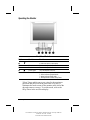
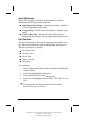
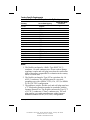
For example, to select the Position menu, press the Minus
button 2 until Position is highlighted, then press the Menu
button 1 to display the submenu for Position.
Selecting the Advanced Menu from the Basic Menu
resets the on-screen display to default to the Advanced
Menu each time the monitor is powered on. The
Advanced Menu will remain the default menu until the
Basic Menu option is selected from the Advanced Menu
or Factory Reset is enabled.
2.
3.
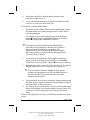
A second-level menu displays with expanded menu items.
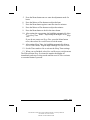
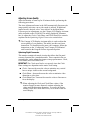
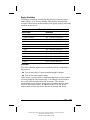
Again, to make a selection, press the Minus () button 2 to
scroll down or press the Plus () button 3 to reverse or back up.
Highlight your choice, then select Save and Return. To void any
changes made, select Cancel instead of Save and Return.
The second-level menu for Brightness and Contrast
displays an adjustment screen. Use the Minus button to
decrease and the Plus button to increase the screen
brightness and contrast.
4.
Access the third level menu by selecting a function and pressing
the Menu button. Adjust the third level menu displays using the
same procedures as the second level.
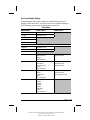
5. To exit from the on-screen menu, select Exit from the Advanced
Menu. If the display is a second or third-level menu, select Save
and Return or Cancel, then select Exit from the Advanced
Menu.
The on-screen display is easy to use, just follow the instructions on the
screen.
English
Part Number: 325703-001- Writer: Marianne Silvetti - Saved by: MSilvetti
Saved date: 03/15/99 4:03 PM
File Path: P:\Docs\Monitors\Aoki
1-11