1
Chapter 2
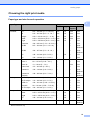
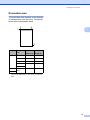
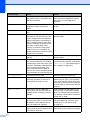
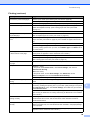
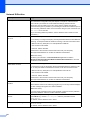
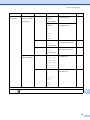
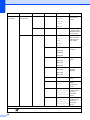
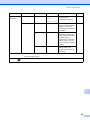
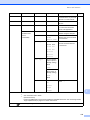
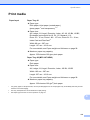
Paper capacity of the paper trays
2
Paper size
Paper types
No. of
sheets
A4, Ledger, A3, Legal, Executive,
Letter, A5, A6, JIS B4, JIS B5,
Envelopes (commercial No.10,
DL, C5, Monarch, Y4), Photo,
Photo L, Photo 2L, Index Card,
Postcard 1, Postcard 2
Plain Paper
250 1
Inkjet Paper
20
Glossy Paper, Photo
20
Index Card, Postcard
30
Envelopes, Transparencies
10
Tray #2
(MFC-J6710DW only)
A4, Ledger, A3, Legal, Executive,
Letter, JIS B4, JIS B5
Plain Paper
250 1
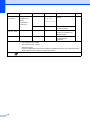
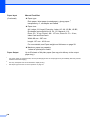
Manual Feed Slot
A4, Ledger, A3, Legal, Executive,
Letter, A5, A6, JIS B4, JIS B5,
Envelopes (commercial No.10,
DL, C5, Monarch, Y4), Photo,
Photo L, Photo 2L, Index Card,
Postcard 1, Postcard 2
Plain Paper, Inkjet Paper,
Glossy Paper, Envelopes,
Transparencies and Labels
1
Tray #1
1
Up to 250 sheets of 80 g/m 2 paper.
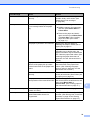
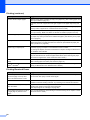
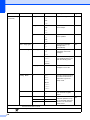
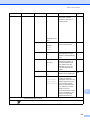
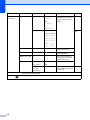
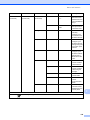
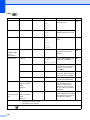
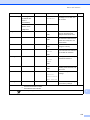
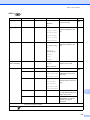
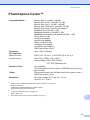
Paper weight and thickness
Paper Type
2
Weight
Thickness
Plain Paper
64 to 120 g/m2
0.08 to 0.15 mm
(Tray #2)
64 to 105 g/m2
0.08 to 0.15 mm
Inkjet Paper
64 to 200 g/m2
0.08 to 0.25 mm
Glossy Paper 1
Up to 220 g/m2
Up to 0.25 mm
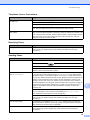
Photo Card 1
Up to 220 g/m2
Up to 0.25 mm
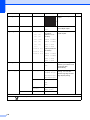
Index Card
Up to 120 g/m2
Up to 0.15 mm
Postcard 1
Up to 200 g/m2
Up to 0.25 mm
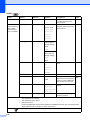
Envelopes
75 to 95 g/m2
Up to 0.52 mm
Transparencies
–
–
Labels
–
–
Cut Sheet
Plain Paper
Cards
Postcard 2
1
28
BP71 (260 g/m2) paper is especially designed for Brother inkjet machines.