1
Chapter 6
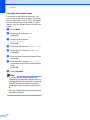
Changing the remote codes
6
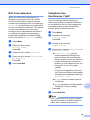
If you want to use Remote Activation, you
have to turn on the remote codes. The preset
Remote Activation Code is l 5 1. The preset
Remote Deactivation Code is # 5 1. If you
want to, you can replace them with your own
codes.
a
b
Press Menu.
c
Press a or b to choose
Setup Receive.
Press OK.
d
e
Press a or b to choose Remote Codes.
Press a or b to choose Fax.
Press OK.
Press d or c to choose On (or Off).
Press OK.
f
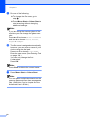
Enter the new Remote Activation Code.
Press OK.
g
Press a or b to choose Deact.Code:
and enter the new Remote Deactivation
Code.
Press OK.
h
Press Stop/Exit.
Note
• If you are always disconnected when
accessing your external TAD remotely, try
changing the Remote Activation Code and
Remote Deactivation Code to another
three-digit code using the numbers 0-9, l,
#.
• Remote Codes might not work with some
telephone systems.
48