1
DA2_FX7400G_01.qxd 2/14/07 3:54 PM Page 11
Note 1B • Entering Lists (continued)
fx-7400G Plus
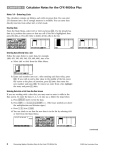
e. You can check to see that the new data is in the list by pressing
MENU and going to either STAT or LIST.
You can also enter a list in RUN mode without storing it in a stat list by
entering the values as in the preceding step b.
Deleting Lists
To delete a single list, highlight any entry in the list. If the DEL-A function
does not appear as an option, press ˛ to show more menu options. Press
F2 (DEL-A) followed by F1 (YES). To delete all lists, go into MEM mode from
the Main Menu. Press EXE to go to the Memory Usage screen. Use the cursor
to highlight List. Press F1 (DEL) F1 (YES).
Moving a List
To move a list, begin by highlighting the heading of an empty list. OPTN F1
(LIST) F1 (List), enter the number of the list whose contents you want to
copy, and press EXE . The list data appears. You can now delete or overwrite
the data in the original list, and the data will remain in the new list.
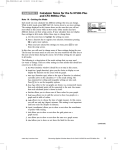
Note 1C • Mean, Median, and Mode
If you are not already in STAT mode, press MENU and select STAT from
the Main Menu. Enter the data into a list. (See Note 1B if you don’t
remember how to enter data into a list. This example uses the same
data as the first list entered in Note 1B.)
a. Press MENU and select RUN.
b. Press OPTN F1 (LIST) ˛ .
©2008 Key Curriculum Press
(continued)
Discovering Algebra Calculator Notes for the Casio fx-7400G Plus
11