1
– Avoid taking photos of a subject that is too close or too far
away to fit within the viewfinder or that is too long such as a bus
or a train.
• Rich tone (HDR): Use this to take photos without losing details
in bright and dark areas.
• Eraser: Use this to erase the movements of moving subjects in
the background.
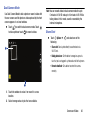
– Touch
to take a series of photos. The device erases
traces of movement from a moving subject. To restore the
original photo, touch Show moving objects, and then touch the
highlighted area.
To get the best shot, follow these tips:
– Hold the camera steady and remain still while taking photos.
– Avoid taking photos of a subject and background with
similar colors.
– When taking photos of a subject that is moving very little or
moving a great deal, the camera may not recognize all of the
movements.
• Panorama: Take a photo composed of many photos strung
together.
To get the best shot, follow these tips:
– Move the camera slowly in one direction.
– Keep the camera’s viewfinder within the guide frame.
– Avoid taking photos of a subject in front of unrecognizable
backgrounds, such as empty skies or plain walls.
• Sports: Use this setting for fast-moving subjects.
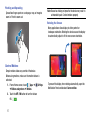
Panoramic Photos
A panoramic photo is a wide landscape image consisting of
multiple shots.
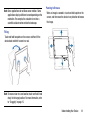
1. Touch MODE ➔ Panorama.
2. Touch
and move the camera in one direction.
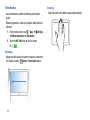
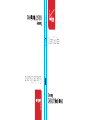
When the blue frame aligns with the viewfinder, the
camera automatically takes another shot in a
panoramic sequence. To stop shooting, touch
. If
the viewfinder is out of the direction, the device
stops shooting.
– If there are multiple subjects moving in the background, the
camera may not recognize all of the movement.
Camera and Video
60