1
XV-HTD340.book 61 ページ 2003年12月27日 土曜日 午前10時30分
Surround sound and other settings
09
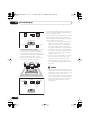
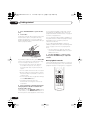
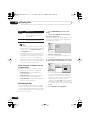
• LS – Left surround speaker
• SW – Subwoofer
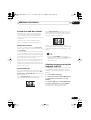
3 Use the VOLUME +/– button to adjust
the volume to an appropriate level.
Turn down the volume to -40dB or less to
ensure you have adequate headroom.
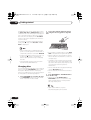
4 Use the / (cursor up/down) buttons
to adjust the speaker levels in turn.
You should hear the test tone at the same
volume from each speaker when seated in the
main listening position. The channel level
range is ± 10 dB.
5 When you’re done, press ENTER to exit
test tone setup.
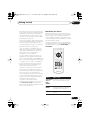
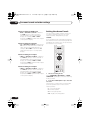
• The speaker volume can be adjusted while
listening to any sound source you want by
pressing CH LEVEL (SHIFT + 5) and then
using the / (cursor up/down) buttons
to adjust the channel levels. After you’re
finished with one channel, use the /
(cursor left/right) buttons to move to the
next.
• When the AUTO listening mode is
selected, using the test tone method will
adjust levels for multichannel sources
only. Use CH LEVEL (SHIFT + 5) and the
/ (cursor up/down) buttons (see tip
above) to set levels for the AUTO listening
mode with two channel sources.
• Since the subwoofer produces ultra-low
frequencies its sound may seem quieter
than it actually is.
61
En