1
XV-HTD340.book 31 ページ 2003年12月27日 土曜日 午前10時30分
Getting started
04
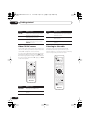
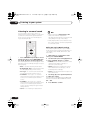
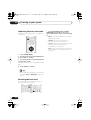
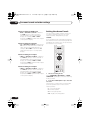
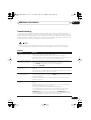
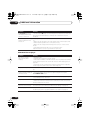
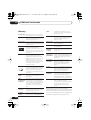
Button
What it does
Button
What it does
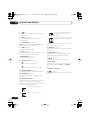
Starts playback.
DVD and Video CD: If the display
shows Resume or Last Mem
playback starts from the resume
or last memory point (see also
Resume and Last Memory
below.)
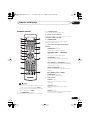
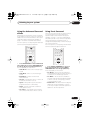
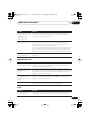
Numbers
Pauses a disc that’s playing, or
restarts a paused disc.
Use to enter a title/track number. Press ENTER to select (or
wait a few seconds).
• If the disc is stopped, playback starts from the selected
title (for DVD) or track number
(for CD/Video CD/WMA/MP3).
• If the disc is playing, playback
jumps to the start of the
selected chapter or track.
Stops playback.
DVD and Video CD: The display
shows Resume. Press again
if you want to cancel the resume
function. (See also Resume and
Last Memory below.)
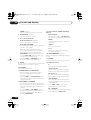
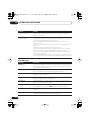
Press to start fast reverse
scanning. Press (play) to
resume normal playback.
• You may find with some DVD discs that
some playback controls don’t work in
certain parts of the disc. This is not a
malfunction.
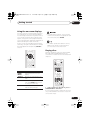
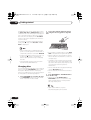
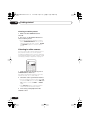
Using the front panel controls
The OPEN/CLOSE and (stop) buttons on
the front panel work the same way as the
remote control equivalents.
Press to start fast forward
scanning. Press (play) to
resume normal playback.
Skips to the start of the current
track or chapter, then to
previous tracks/chapters.
The front panel scan and skip buttons (
and ) are combined. Press once for
chapter/track skip, or press and hold for
scanning.
Skips to the next track or
chapter.
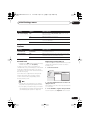
Resume and Last Memory
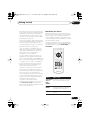
FOLDER +/– Skips to the next/previous folder
when playing MP3 or WMA
discs.
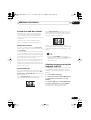
When you stop playback of a DVD or Video CD
disc, Resume is shown in the display indicating that you can resume playback again
from that point.
If the disc tray is not opened, the next time you
start playback the display shows Resume and
playback resumes from the resume point.
31
En