1
VALOR
----MULTIMEDIA-------------------------------------------------------Power On I Off
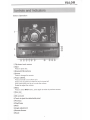
Press the POWER NOL button to turn the unit on. You can also turn on the unit by pressing the
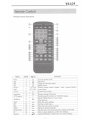
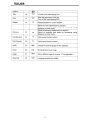
button ( C!> ) on the remote.
Press and hold the POWERNOL button on the front panel or press the POWER button ( <!> )
on the remote to power off the unit.
Source Selection
Press the SRC Button on the front panel to change sources: TUNER, DISC, CARD, FLASH
DRIVE, BT-TEL, F-AUX, R-AUX, SETUP, and STANDBY. The name of the source is displayed
on the top right corner of the screen.
Volume Adjustment
To increase or decrease the volume level, turn the POWERNOL knob on the front panel or
press the VOL+/ VOL- buttons on the remote control. The volume ranges from "0" to "40".
Equalizer Setting
The Equalizer Setting allows you to easily adjust your audio system to meet your sound needs.
To get the best possible sound quality from your new system, be sure to adjust the settings for
the speakers as well.
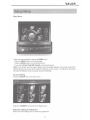
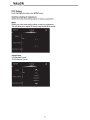
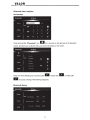
Accessing the EQ Settings
Press the ( SEL ) button on the remote control or go to one of these audio sources MP3 DVD/CD,
Radio Tuner, MP3 SO card or MP3 flash drive to get access to the
B
icon.
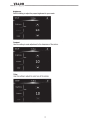
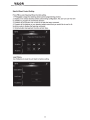
Selecting an EQ for Adjustment
Press the (AJ',.) buttons on the remote control or press the icons on the front panel once, and
then select an audio setting to be adjusted.
Adjusting an Audio Setting
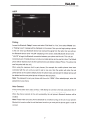
Press the(*) buttons on the remote or use the touch screen to adjust the selected feature.
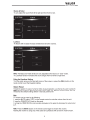
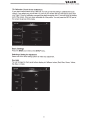
EQ Settings (Jazz, Pop, Rock, Classic or USER)
12