1
Conventional Fire Panel
System Overview | en
9
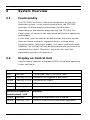
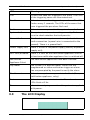
Alarms
1 2 3 4 5 6 7 8
|?| | | | | |
Fire Alarms: 1
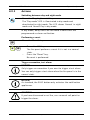
Display of alarms. Zones that have triggered an alarm are
flagged.
In addition, the total number of alarms is displayed in the
bottom line, along with the sequence of the triggered alarms.
3.4
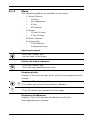
Operating Levels
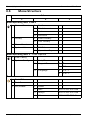
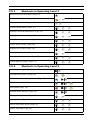
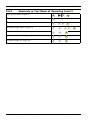
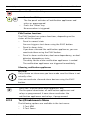
This fire panel has three operating levels. You can only perform
certain actions on certain operating levels.
Level 1
Level 2
–
Display information
–
Read out event memory
–
Display faults and deactivations
–
Perform display test
–
Change language and time/date
–
Switch key tones on/off
–
Put zones in test mode and take zones out of test mode
–
Switch off/on zones, notification appliances, relays and
–
Trigger evacuations
transistor outputs
Level 3
–
Reset panel
–
Switch between day/night mode
–
All actions of level 1
–
All settings for installing and programming the system.
Code inputs are necessary for accessing operating levels 2 and
3.
Operating level 2 can be accessed using the optional key or an
input with the appropriate configuration.
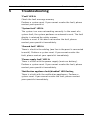
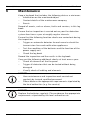
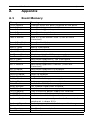
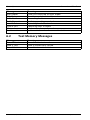
Bosch Sicherheitssysteme GmbH
Operation Guide
F.01U.172.982 | 5.0 | 2012.04