1
Conventional Fire Panel
–
Operation | en
21
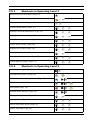
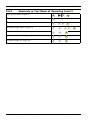
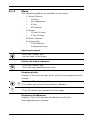
3-Dis/Enable
–
1-Zones
–
2-NAC
–
3-Relays
–
4-All
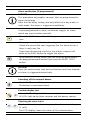
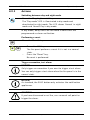
Calling up the test menu
Press the "Test" key.
You are now in the test menu.
Performing an MMI test
See Section Perform display test, page 14.
Switching zones to test mode
CAUTION!
Only switch zones to test mode for brief periods of time. Zones
in test mode will not trigger an alarm in the event of a fire.
2
1
...
8
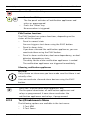
Press the "Test" key and then zone key 2.
This takes you to the Test Zones submenu
Select the zones to be set to test mode. To do this, press the
relevant zone keys 1 to 8. A code appears below the selected
zone(s) in the LCD. Multiple zones can be switched to test
mode at the same time.
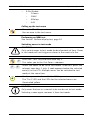
Confirm your selection with the ACK key.
ACK
The "Test" LED and the LEDs for the selected zones are
illuminated yellow.
NOTICE!
Only zones that are in a normal state can be set to test mode.
Selecting a zone again removes it from test mode.
Bosch Sicherheitssysteme GmbH
Operation Guide
F.01U.172.982 | 5.0 | 2012.04