1
AXIS Q60 Series
1
4
2
3
ENGLISH
1
2
3
4
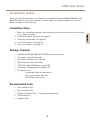
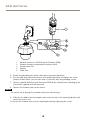
Screw T30 (3x)
Slot for unit holder (3x)
Safety wire
Wall bracket (mounting example)
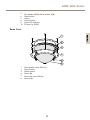
11. Install the supplied midspan. See page 17.
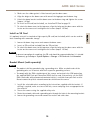
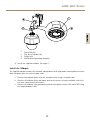
Install the Midspan
The supplied midspan enables Axis network video products with high power consumption to receive
data and power over the same network cable.
1. Connect the midspan (data in) to the network switch using a network cable.
2. Connect the midspan (data and power out) to the camera using the network cable that
has been connected to the camera.
3. Connect the midspan to a grounded (earthed) mains power outlet (100–240 V AC) using
the supplied power cable.
17