1
Chapter 3
Volume settings
Beeper volume
When the beeper is on, the machine will beep
when you press a key or make a mistake. You
can choose a range of volume levels, from
High to Off.
a
b
c
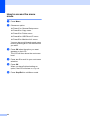
Press Menu, 1, 2.
Press a or b to choose Off, Low, Med or
High.
Press OK.
3
3
Ecology features
Toner Save
3
3
You can save toner using this feature. When
you set Toner Save to On, prints appear
lighter. The default setting is Off.
a
b
c
Press Menu, 1, 3, 1.
Press a or b to choose On or Off.
Press OK.
Press Stop/Exit.
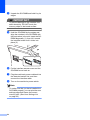
Note
Press Stop/Exit.
We do not recommend Toner Save for
printing Photo or Greyscale images.
Sleep Time
The Sleep Time setting can reduce power
consumption by turning off the fuser while the
machine is idle.
You can choose how long the machine must
be idle before it goes into sleep mode. When
the machine receives computer data or
makes a copy, the timer will be reset. The
default setting is 005 minutes.
While the machine is in sleep mode the LCD
will display Sleep. When printing or copying
in sleep mode, there will be a short delay
while the fuser warms up.
22
a
b
Press Menu, 1, 3, 2.
c
Press Stop/Exit.
Enter the length of time the machine is
idle before entering sleep mode. Press
OK.
3